Payroll year end process
Step 1: Issue P45s for employees not being paid
Issuing P45s for employees not being paid must be completed before the final payroll.
Report an employee as a leaver when you pay them for the last time. If it is not known if they are leaving for good, make them a leaver on the last payroll of the year. If they come back to work, set them up again as a new employee. For more information, go to the gov.uk guidance about employees leaving.
To make an employee a leaver:
Processing a leaver
- Go to Employees.
-
Select the required employee.
If more than one employee has left, go to Multiple leavers to process more than one without going into each record. If the employee needs to be paid after they have left, make a payment after leaving.
- Select Employment.
-
Select Employee has left.
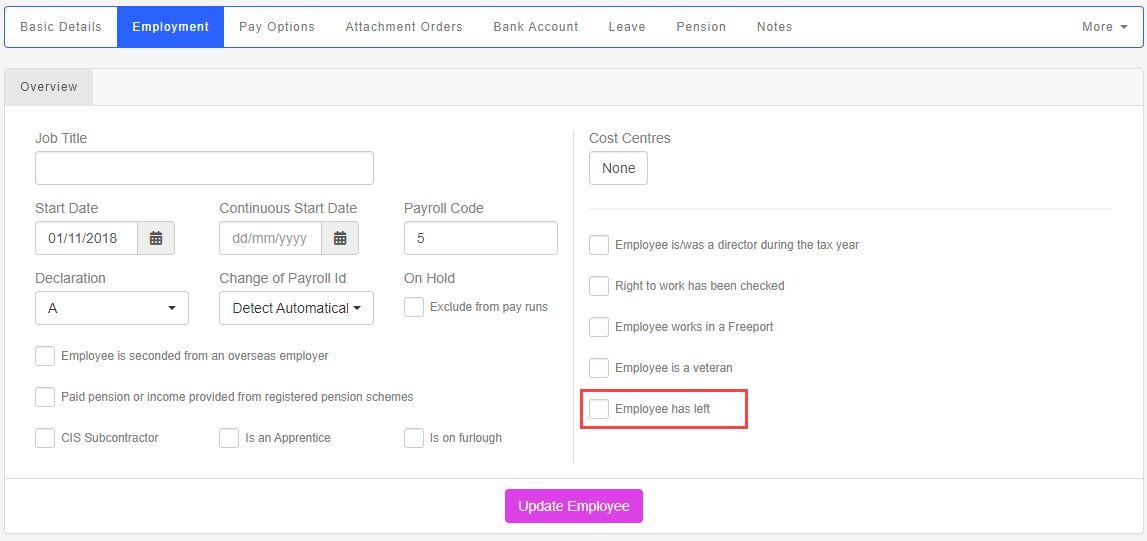
- Enter the Leave Date.
- If the employee died You must make all outstanding payments when an employee dies. - put the date the employee died into the ‘Date of leaving’ field. - final payments are subject to tax, so use the employee's existing tax code. - final payments are not subject to national insurance, so use NI letter X (unless your payroll software automatically takes zero rate employee's national insurance in the circumstances). - do not produce a p45. Payments to a person who has died are usually made to the personal representative or executor of that person’s estate., Employee is deceased must also be selected, as it is part of the reporting process.
- If required, select Add a Payment after leaving or Pay Accrued Holiday Balance.
- Select Update Employee.
Pension contributions are taken from the payment if the employee meets the criteria and is already a member of a scheme.