Payroll year end process
Step 2: Perform a final reconciliation
An Earlier Year Full Payment Submission (FPS) must be created and submitted for any mistake found after 15 April for the previous tax year.
Check the following before checking Directors National Insurance (NI) calculation:
- Payments made to HM Revenue and Customs (HMRC His Majesty's Revenue and Customs is a non-ministerial department of the UK Government responsible for the collection of taxes, the payment of some forms of state support, the administration of other regulatory regimes including the national minimum wage and the issuance of national insurance numbers.) using the relevant bank statement. Go to gov.uk to find out more about paying HMRC for tax and NI.
- The HMRC online account, to confirm the payment has been received. This can take up to six working days. Go to check your payment has been received on gov.uk to find out more.
- The P30 Month end summary report, highlights the amount to be paid to the HMRC for that tax month. report and P32 Month end summary report, highlights the amount to be paid to the HMRC for that tax month. summary.
Generate a P30 to summarise your HMRC liabilities
- Go to Reports.
- Select Statutory, then select P30.
- Select a Tax Year.
- Select a Period.
-
Select Download P30 (if required). This displays the data of the selected period (quarter).
Alternatively, select the P30-2022-23.csv to get a full year containing all 4 quarters. The file name displays the tax year selected, for example P30-2023-24.csv for the 2023-24 tax year.
- Select Preview P30 (if required).
Example...
-
Download P30. PDF
-
P30-2022-23.csv. CSV
Generate a P32 to view the detail of your HMRC liabilities
-
Open the required company.
-
Go to Reports.
-
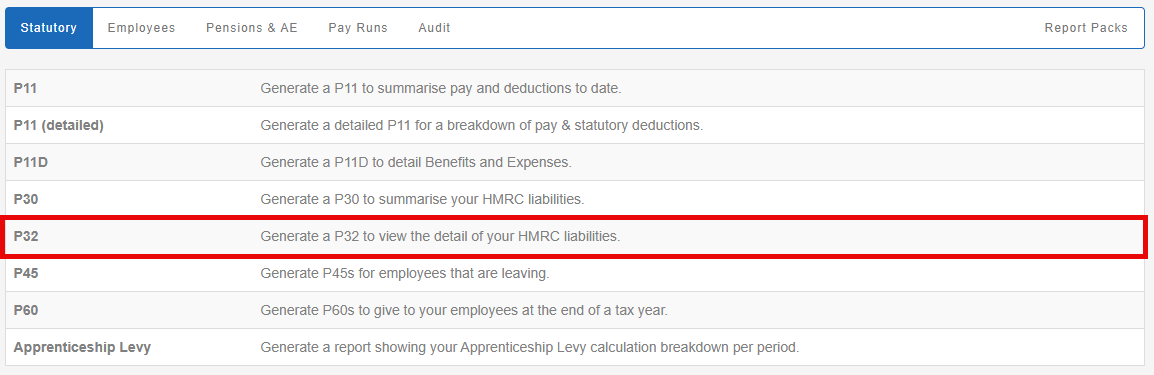
Select Statutory.

-
Select P32.
-
Select a Tax Year.

-
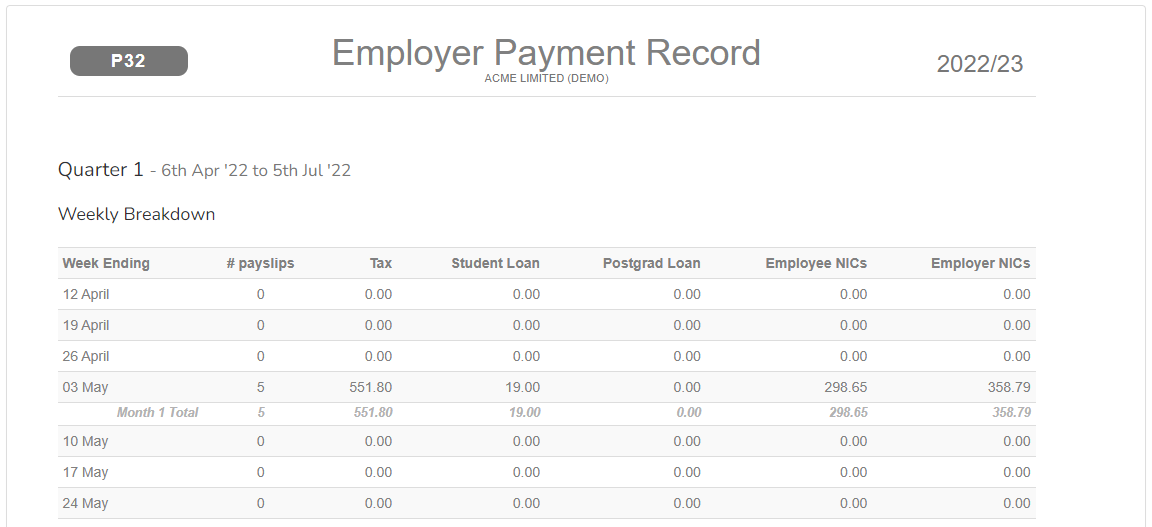
Select Preview.
-
Select Download as... (if required).
-
Download as PDF
Example...
-
P32. PDF