Payment after leaving
If you need to give an additional payment to an employee after they have left, it needs to be dealt with in a specific way to comply with HMRC His Majesty's Revenue and Customs is a non-ministerial department of the UK Government responsible for the collection of taxes, the payment of some forms of state support, the administration of other regulatory regimes including the national minimum wage and the issuance of national insurance numbers. rules.
-
Open the required company.
-
Go to Employees.
-
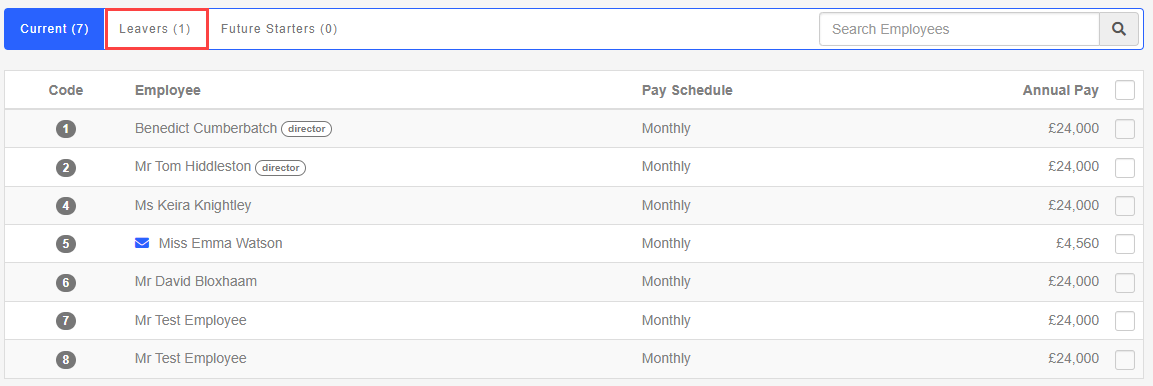
Select the Leavers tab.
-
Choose the required employee.
-
Select Employment.

-
Select Add a Payment after leaving.
-
Choose from:
-
Regular Pay Method - National insurance A system of contributions paid by workers and employers in the UK, which funds various state benefits, such as the State Pension and Jobseeker's Allowance. is calculated as normal based on the pay frequency.
-
Irregular Pay Method - National insurance is always calculated based on a weekly pay frequency.
-
-
You can add a payment.
-
The FPS Full Payment Submission is an RTI online submission to be sent on or before each payday. This informs HMRC about the payments and deductions for each employee. reports the payment to HMRC.
Good to know...
-
You should not re-issue a P45 after making the payment.
-
The tax code is forced to be 0T so that there is no personal tax allowance.
-
The employee is automatically added to the next pay run (or the current pay run if it is still open).
-
Once you finalise the pay run, the Payment After Leaving check box on the employee record will be clear, so the employee doesn’t appear on the next pay run.
-
If the employee dies while in employment, there are some extra steps to complete.