Payroll year end process - IRIS GP Payroll
Step 10: End of year pension statements (Scotland)
Scottish practices must send their employees’ annual pension returns to the Scottish Public Pensions Agency (SPPA) online. IRIS GP Payroll produces an NSR03 file ready to be upload to SPPA’s online portal.
-
Go to End of Year > Step 4 - Produce End-of-Year- Pension statements.
-
Select OK.
-
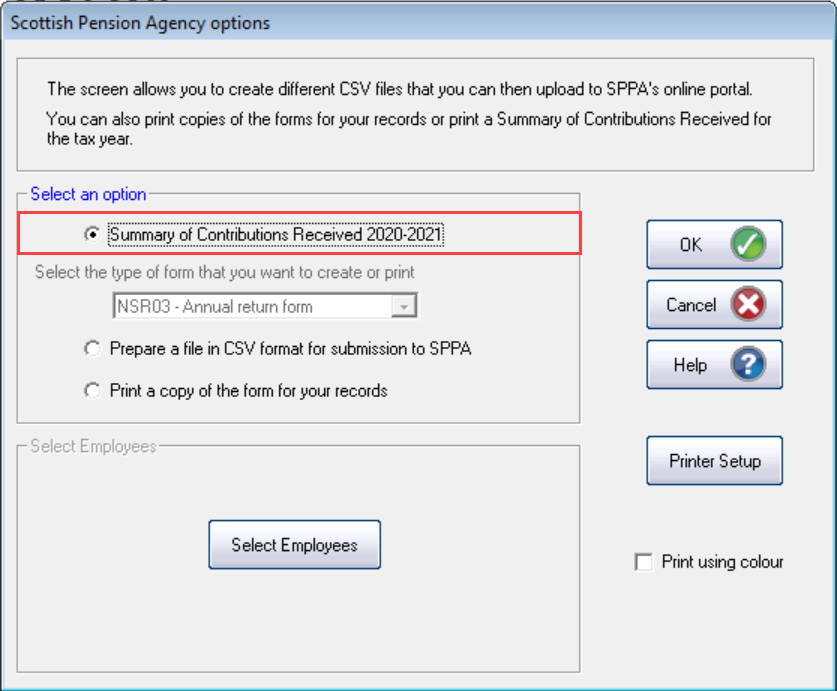
Select Summary of Contributions Received and select OK.
The summary of contributions will include all employee and employer contributions over the last 12 months. This is for your records.
-
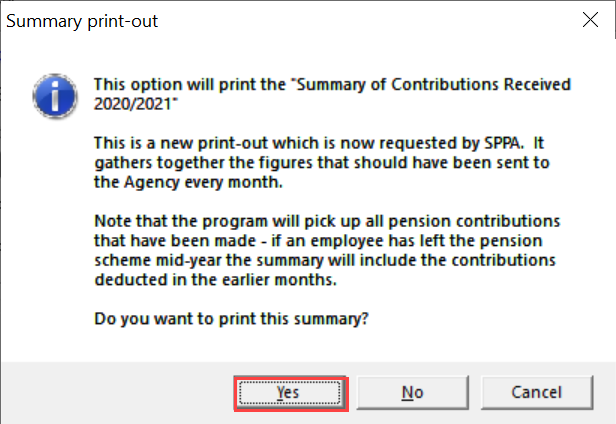
Select Yes to print the report.
-
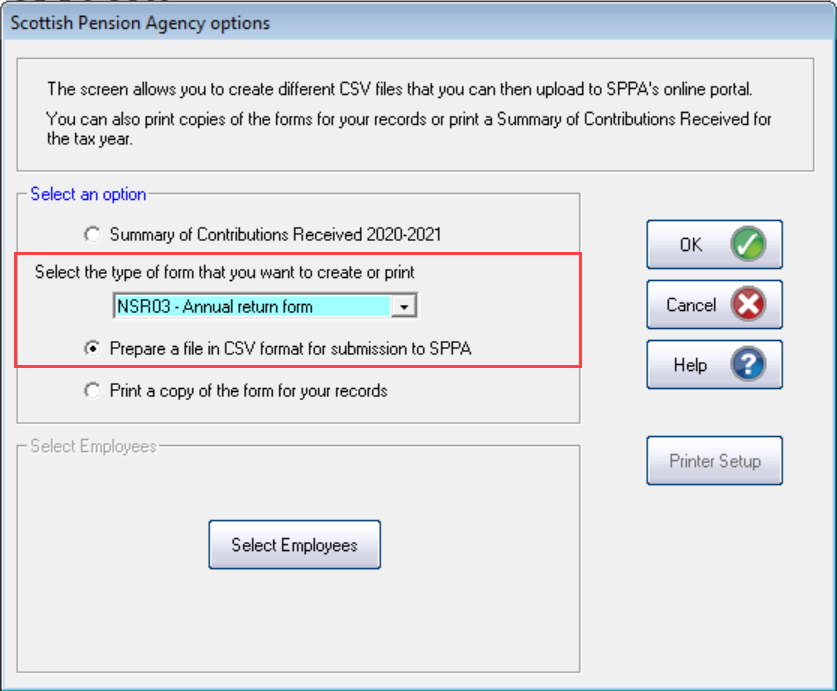
Select Prepare a file in CSV format for submission to SPPA.
To print a copy select Print a copy of the form for your records.
-
Select OK .
-
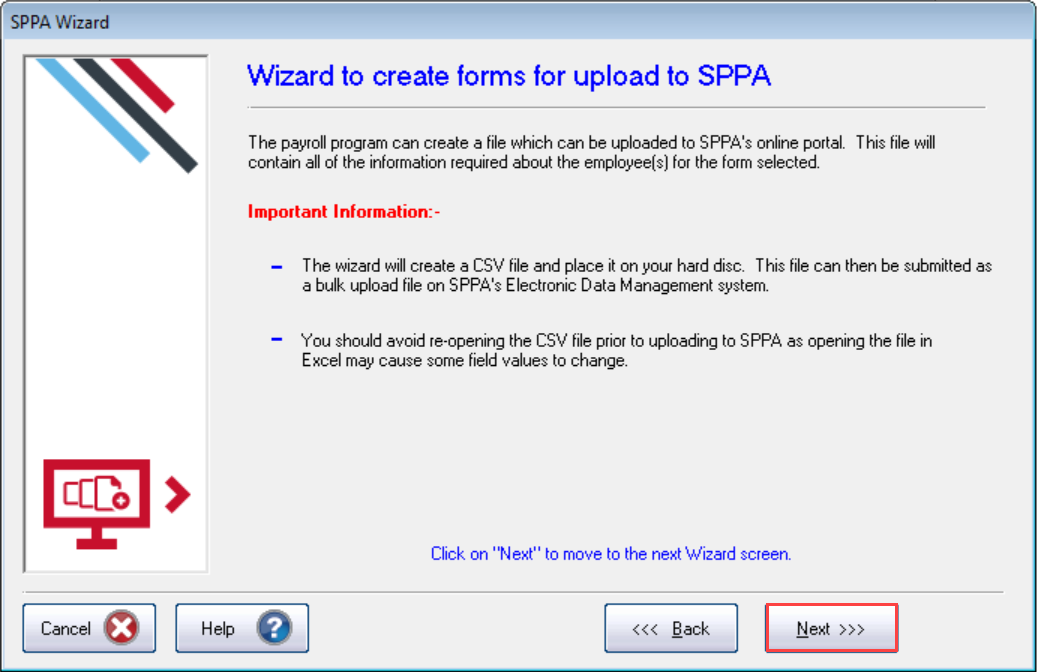
Select Next.
-
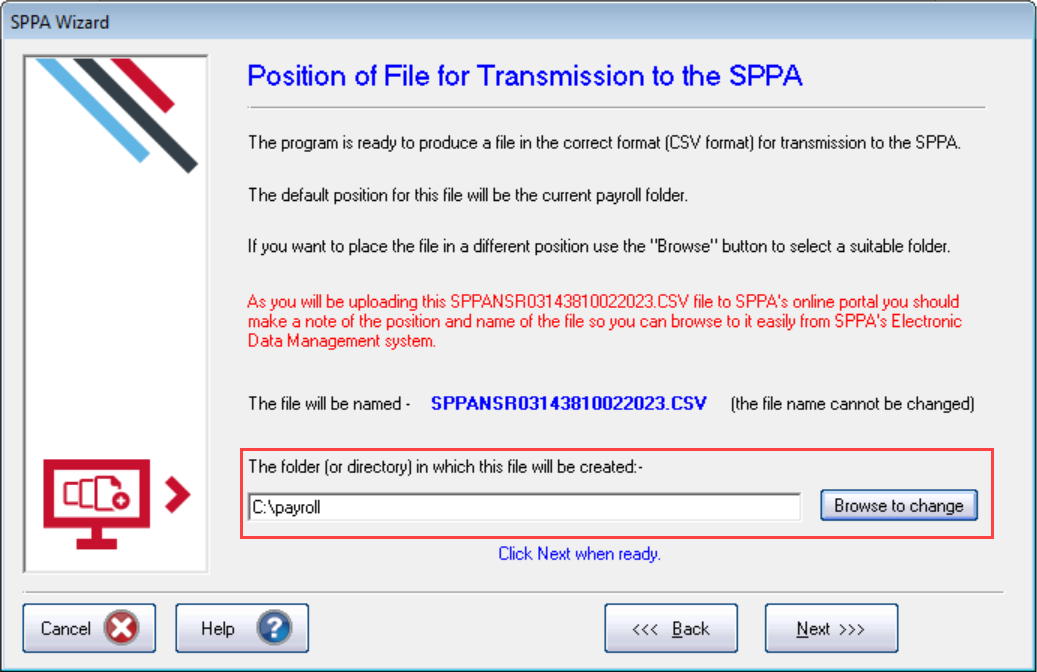
As standard the file is created in the program folder. Select Browse to change to change the location.
-
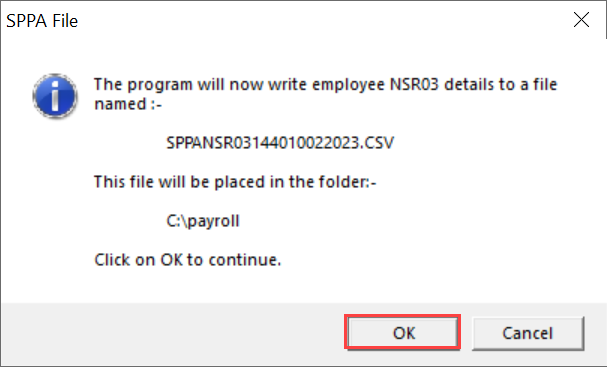
Select Next then OK to continue.
-
Once the file is exported, select Next at the success confirmation screen.
-
Select Cancel to return to the main menu,.
-
Upload the file to the SPPA at https://edm.pulsion.co.uk/
Pensions online (NHSBSA) and SPPA websites are only accessible via the internal NHS Network (N3).
-
On the SPPA website, go to Annual Return > Bulk Upload.
-
Go toBrowse, select the file created by IRIS GP Payroll and Upload.
| IRIS Knowledge base
IRIS Website |
Legislation guide
Help Centre |
Payroll facts and figures
Help Centre |
HMRC Service Availability
External link |
| Tel: 0344 815 5555 Support |
gpsupport@iris.co.uk Email Support |
Software downloads
IRIS Website |
IRIS 'One Number' guide
Help Centre |