Email payslips
Payslips can be set up to be emailed automatically to employees. To automatically send payslips, an email address must be entered on their employee records in Every Payroll.
When an email address is provided for an employee, Payslip A statement provided by an employer to an employee, detailing their wages, deductions, and net pay for a specific pay period.This is a legal requirement under the employment rights act and should be received on or before the pay date. Release is available to confirm whether payslips are automatically emailed when finalising the pay run.
To control when the payslips are sent, select either Immediately or Scheduled. If selecting Scheduled, select the Payslip Release On date and time.
- To delay or hold the release of scheduled payslips, re-open the pay run.
- Payslip PDFs can be sent with password protection for GDPR compliance.
- Payslip email sending can be suppressed or resent when a pay run is finalised or after.
If using an Employee Portal, such as IRIS My ePay Window or epayslips, set up Pay Run Automation to automatically push them to the portal.
For employees without an email address on their record, payslips must be sent manually. To send them manually:
-
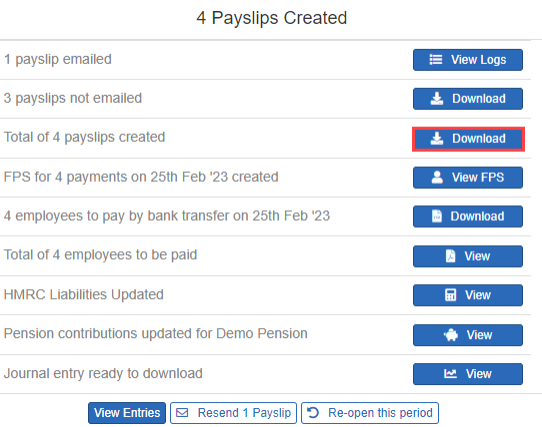
On the Payslips Created list, for payslips not emailed, select Download.
Alternatively, Download the total of payslips created to have a record of them all.
-
Use your email platform to send them to the relevant employees.