For redeemable shares, include the nominal value plus any premium payable. For securities, include the amount of the principal secured, plus any premium payable, minus any new consideration given for that issue.
- From the Clients menu, select Clients list.
- Change the client list view to either Active clients or a custom view that includes all relevant clients and select the client you need.
- Open the relevant client record.
- On the Personal tax returns widget on the client dashboard, select the required return. The Status tab is shown by default.
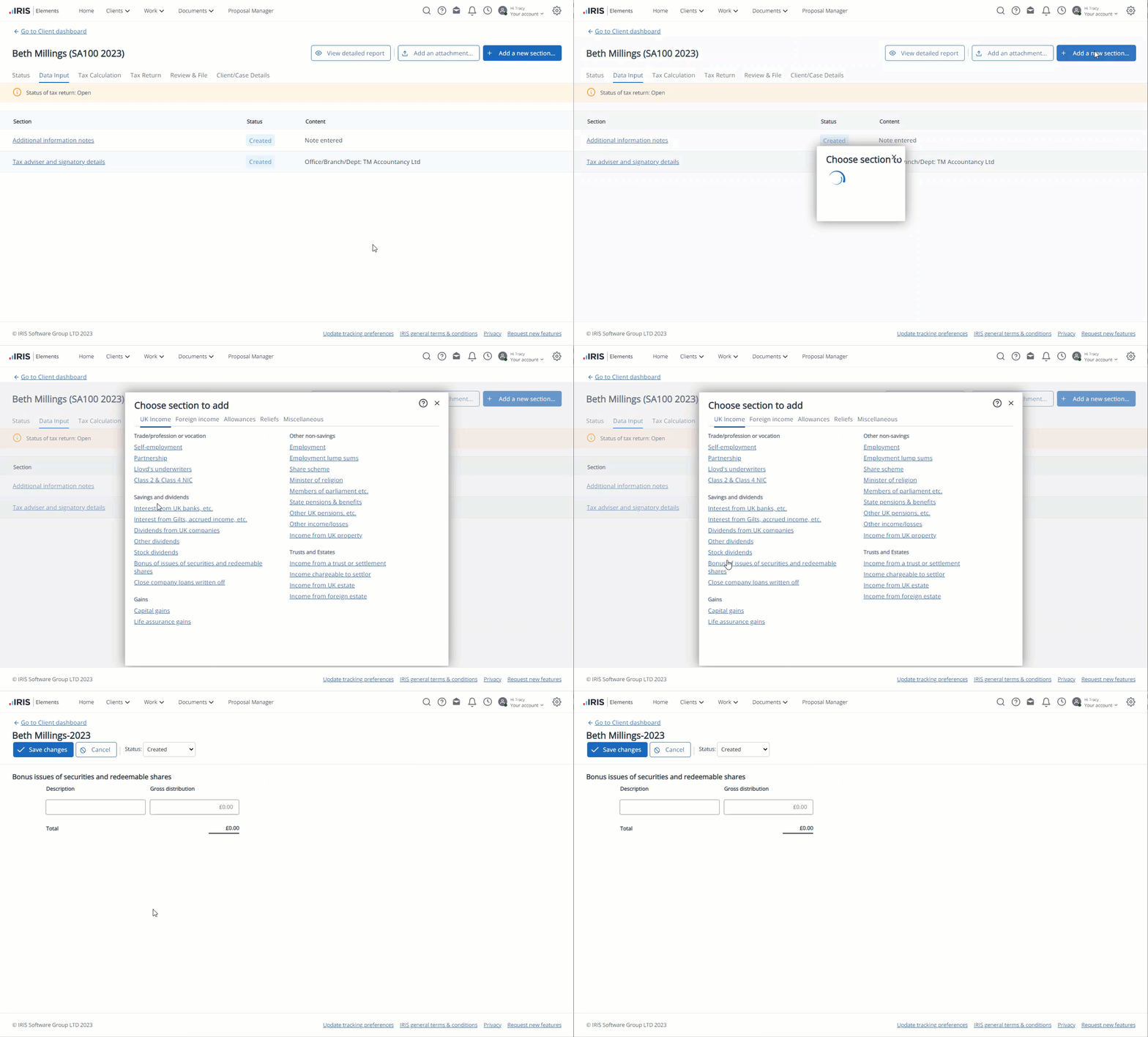
- Select the Data input tab, then select Add new section.
Any previously added sections are crossed through. Once added, the section can be edited by selecting its name.
-
On Choose a section to add, under Savings and dividends, select Bonus issues of securities and redeemable shares.
-
For each line, enter a brief Description of the bonus issue of securities and redeemable shares (this is for memo purposes only and doesn't appear on the return) and the Gross distribution received.
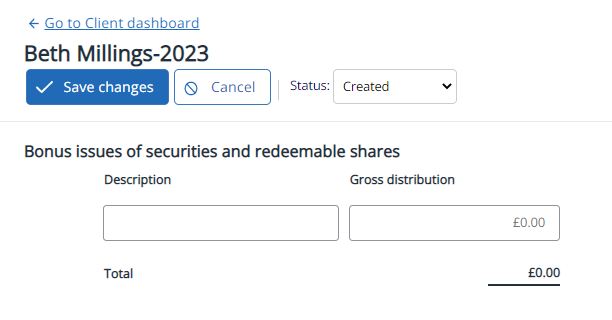
A new line is automatically added. Unwanted lines can be deleted using the bin icon.
-
Select Save changes.