You can add additional text notes to the tax return either because there's no obvious section or yo provide information such as disclosing a form you're omitting. The notes will be included on page 7 of the main SA100 form.
- From the Clients menu, select Clients list.
- Change the client list view to either Active clients or a custom view that includes all relevant clients and select the client you need.
- Open the relevant client record.
- On the Personal tax returns widget on the client dashboard, select the required return. The Status tab is shown by default.
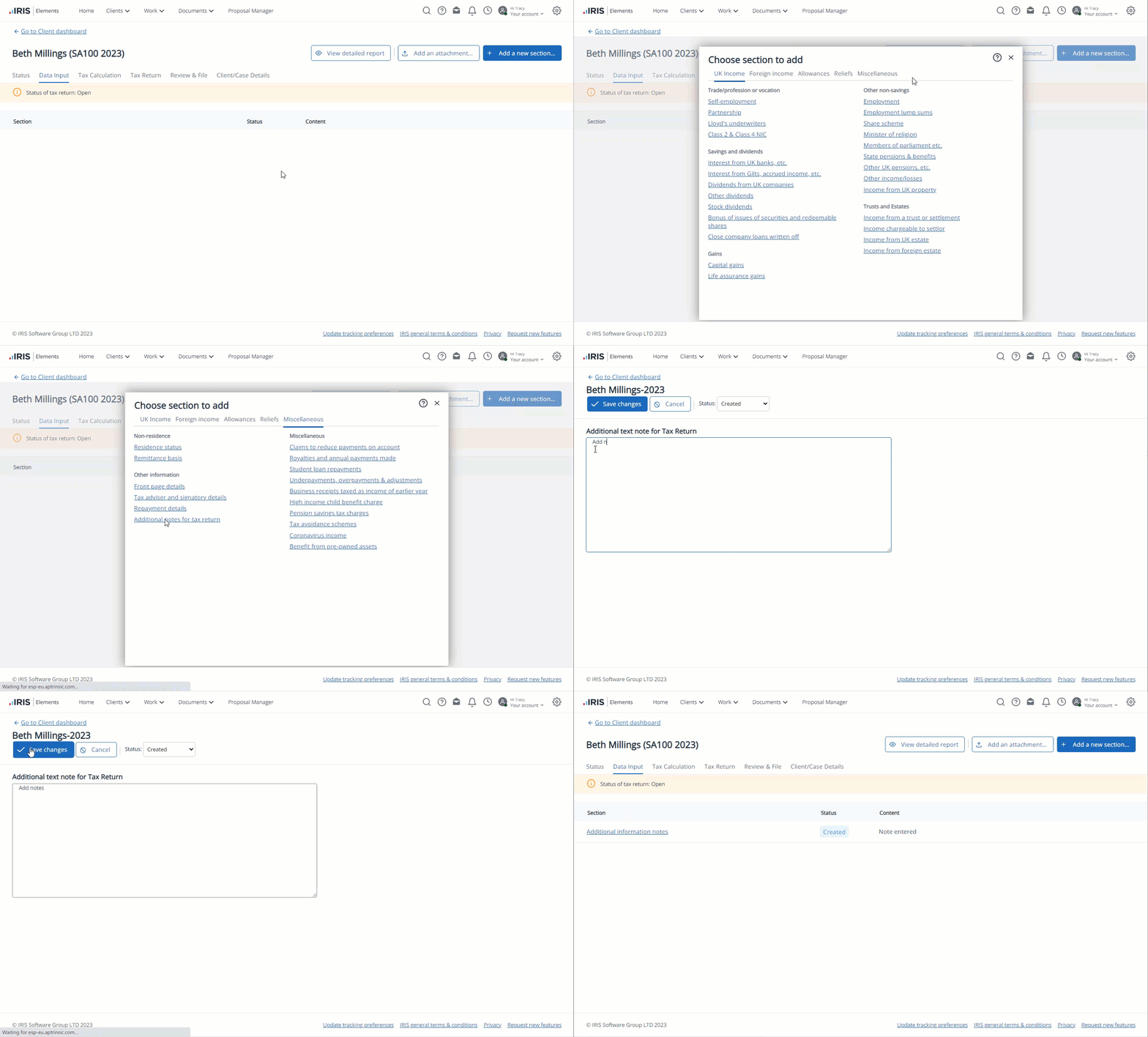
- Select the Data input tab, then select Add new section.
Any previously added sections are crossed through. Once added, the section can be edited by selecting its name.
-
On Choose a section to add, select the Miscellaneous tab.
-
Under Other information, select Additional notes for tax return.
-
Enter any required notes, then select Save changes.