Create Messages Using the AI Writing Assistant
Want to get the most out of the AI Writing Assistant? — Try our AI Writing Assistant Top Tips!
Create AI Writing Assistant Messages
When creating a message for parents and carers:
-
Select Help me create my message.
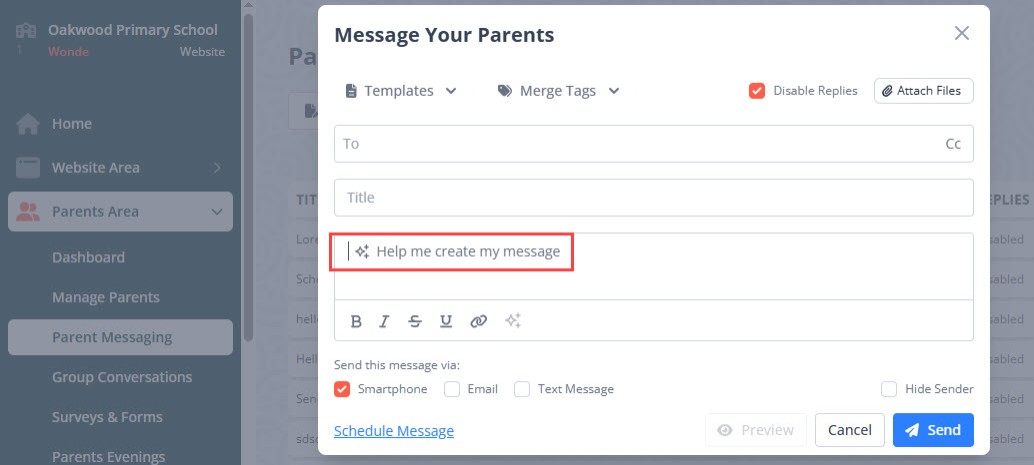
-
Enter the details of the message you would like to create. If you are not sure what to enter, use our AI Writing Assistant Examples for guidance.
Do not enter any personal or sensitive data, intellectual property, or other information that should not be publicly available. For more details about what not to enter, go to AI Writing Assistant Use Guidance.
- To generate the message based on the entered details, select Create.
-
If the generated message is suitable, to use it, select Insert.
If you do not want to use the created message, select the cross icon. To change the details you entered, select Recreate, or select Revise to access options to Formalise, Add More Detail, or Shorten the message.
- To personalise the message, add Merge Tags.
-
Before sending AI Writing Assistant created messages, check the message content for suitability, spelling, and grammar.