Create stock type codes
To display only catalogues that belong to the selected supplier when creating purchase orders, create a stock type code before importing a catalogue.
Only users with administrator permissions for Distribution can create stock type codes. To request access or ask for a code, contact your system administrator.
- Log into Distribution.
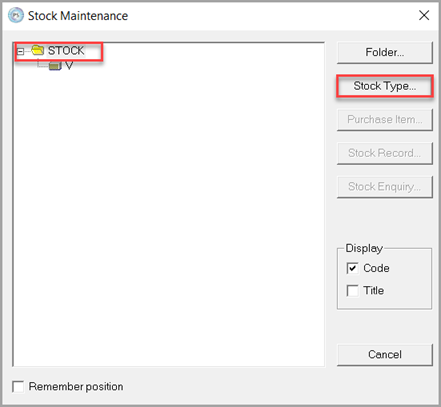
- Go to MASTERS, then select STOCK.
-
Select the STOCK folder, then Stock Type....
- Enter the following details:
- Code — Enter a meaningful code to identify the catalogue
If you have already prepared the catalogue file for import, the Code must match the details entered in Stock Type Code.
- Title — Enter the catalogue name and issue year
- Code — Enter a meaningful code to identify the catalogue
- To save:
- Select OK.
- Then on the Default Stock Items message, select OK again.