Step 8: Record any statutory payments and leave
Step by step guide to running a payroll
If no employees have statutory payments or have taken time off, skip this step and go to Step 9: Payroll warnings.
To record statutory payments and leave for the pay run:
- Go to Payroll.
-
If using more than one pay schedule, select the tab for the required schedule or frequency.
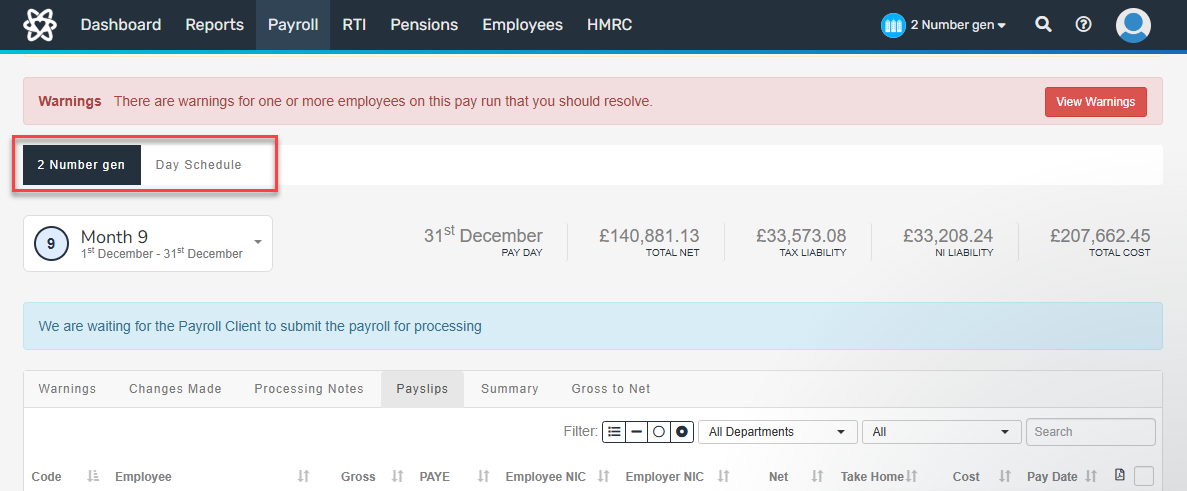
- Select the required employee from the list.
- Select Edit Additions/Deductions.
- Select New Deduction/Addition.
- Select the required Code.
- Enter any further required information.
- Select Create.
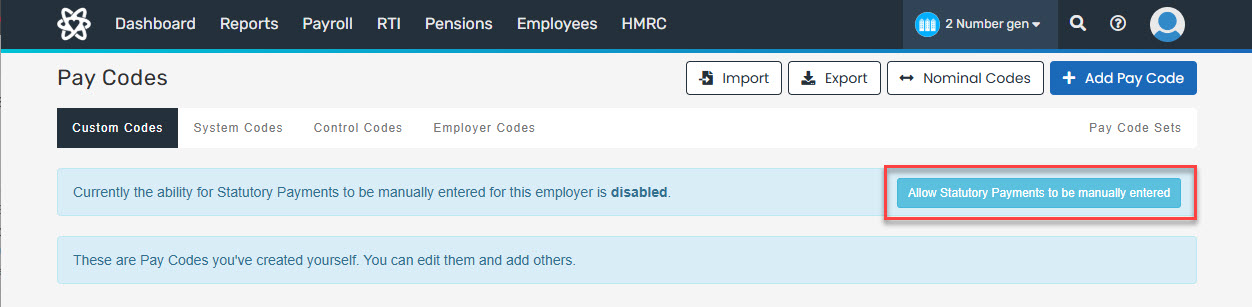
The error Manual statutory pay lines are not enabled for this employer means manual statutory pay lines are not turned on for the company. To turn them on:
- Go to Settings, then select Pay Codes.
-
Select Allow Statutory Payments to be manually entered.
Step 9: Payroll warnings.