Check the pay run
Running a payroll guide
Before finalising the pay run, check it. If there are mistakes after this stage, then corrections can only be made by re-opening the pay run for one pay period, or using rollback across multiple periods.
If Pay Run Automation is set up to finalise the pay run, it closes the period automatically. If there are mistakes they need to be corrected by re-opening the pay run or using rollback.
Employers who use a bureau or payroll processor check the pay run when it is returned, and approve or reject it.
- Go to Payroll.
-
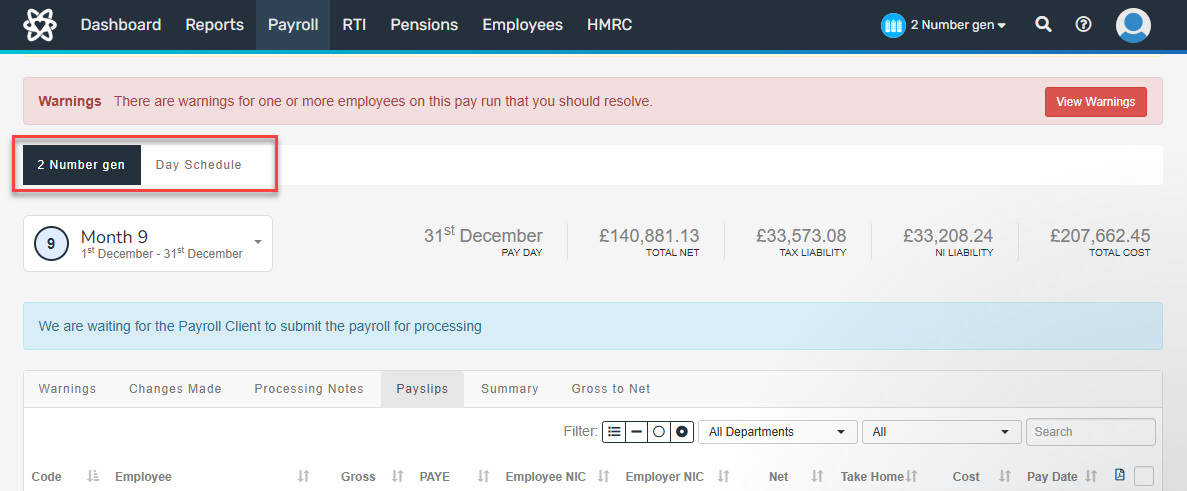
If using more than one pay schedule, select the tab for the required schedule or frequency.
What to check
Check all of the following things on the pay run:
-
Any warnings on the pay run.
-
Each payslip A statement provided by an employer to an employee, detailing their wages, deductions, and net pay for a specific pay period.This is a legal requirement under the employment rights act and should be received on or before the pay date. for mistakes, incorrectly entered amounts, or the wrong pay elements. Open the payslip by selecting the payslip icon.

-
The Summary report and Gross to Net report for a full overview of the payroll.

Go to Finalise the pay run.