Step 11: Finalise the payroll (close the period)
Step by step guide to running a payroll
Finalise the pay run after all the amounts for each payslip A statement provided by an employer to an employee, detailing their wages, deductions, and net pay for a specific pay period.This is a legal requirement under the employment rights act and should be received on or before the pay date. have been checked.
Finalising the payroll, also known as closing the period, reviews the number of employees paid, the payment date, take-home pay (net pay), and the total cost (gross pay). After a pay run has been finalised, if corrections are needed, Re-open this period to make corrections.
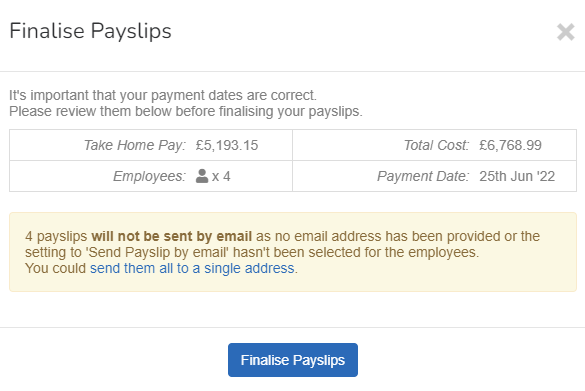
To confirm and finalise a pay run:
- Select Finalise Payslips.
-
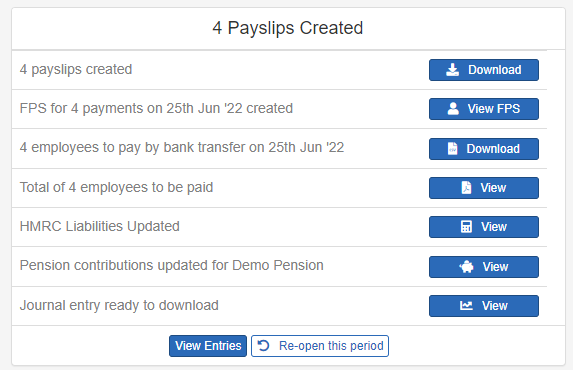
A list of tasks displays. Work through each tasks until they are all done.
If the task list does not display, select Payroll, then select View Details.
Step 12: Send payslips to employees.