Customise enquiry displays
The nominals and ledgers in this topic may be different to those in your chart of accounts.
You can customise the enquiry displays.
-
Run the required account enquiry. For more details, see Running an Account Enquiry .
-
Once the account enquiry details are shown on the screen, click the Custom Columns icon on the toolbar to display the Custom Columns dialog.

-
Select Custom Column .
-
Enter a Name for the column (which will appear as the column heading.
-
Select the Type of column to be added such as number, decimal, etc.
-
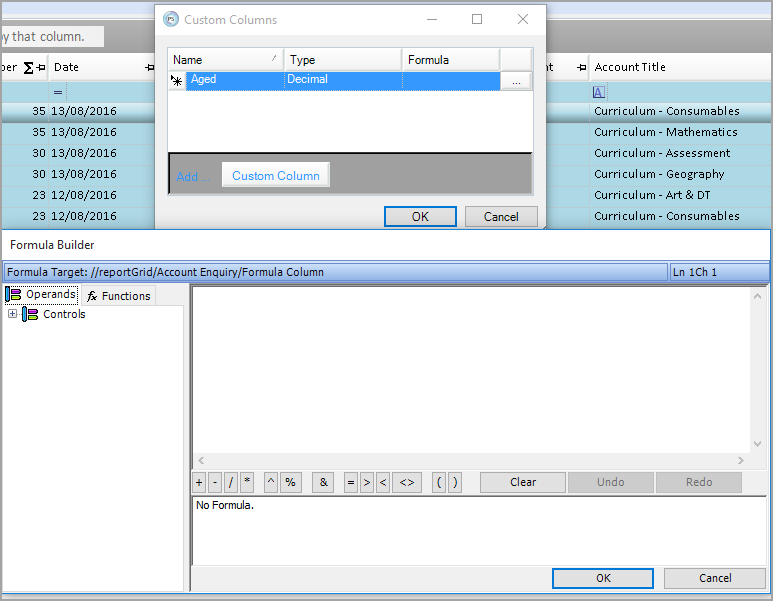
If adding a formula to the column, click the ... icon on the right-hand side of the Formula column.
-
The Formula Builder is then displayed enabling a formula to be constructed in the same way as a spreadsheet. Click the OK button once the formula has been created.
-
Once the formula has been successfully created, save the report as either a default report, or as a favourite report by clicking the Save Settings button on the toolbar.