Statutory sick pay information
You can specify the employee work pattern and view other SSP information, such as PIW details.
-
On the SSP menu, click SSP Information.
-
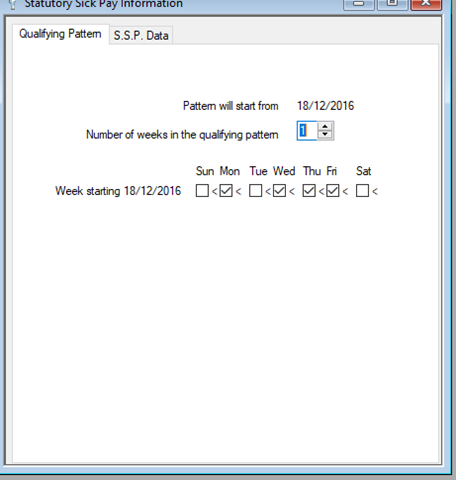
Select the Qualifying Pattern tab.
-
The Pattern will start from date is used when the work pattern encompasses more than one week. If the work pattern covers multiple weeks, in the Number of Weeks in the Qualifying Pattern box, enter the amount of weeks in the pattern.
-
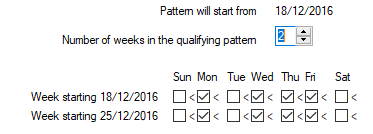
The rows increase in line with the amount of weeks in the pattern; so if you've specified four weeks, you'll see four rows.
-
Complete the pattern by selecting the boxes for each day the employee works.
-
If the pattern includes multiple weeks, repeat the process for each row.
-
Click Save.