Customer update: June 2023
NHS Pension Scheme England/Wales thresholds
What are the changes?
NHS Pension Scheme England/Wales have increased the pension thresholds that are used to set the employee’s % rate. The new thresholds are backdated to April 2023.
What is the impact of these changes?
The next time payroll is calculated, the pension rate will need to be set based on the new thresholds. NHS have advised that although the new thresholds apply from April they anticipate that few employees’ threshold (and therefore rate) will change, since the thresholds were uplifted in line with annual pay awards (e.g. pay is increased by 5%; thresholds are increased by 5%) so employees who don’t have fluctuations in pay will not have a change in rate for the previous months.
What changes are we implementing in IRIS GP Payroll?
When the update is installed, the new thresholds will be implemented . The next time payroll is calculated the system will set the rate as per the new thresholds, based on the employee’s basic pay in the period x 12. A report can be printed at the end of the calculation to display the employee’s old and new rates
What will the software not do?
The software will not backdate the calculation for previous months. Where the employee’s pay does not fluctuate, it is unlikely that a backdated calculation is required since their threshold/rate is unlikely to change.
For employees who’s pay did fluctuate in previous months and/or they did not receive an annual pay award then the user would need to check if their pension rate would have changed using the new thresholds. If so, they will need to recalculate the previous periods.
When setting the rate in the current month the system will only use the basic pay for the month to set the rate. If there are other pay elements in the period that should be included in the calculation when setting the threshold/rate, then the user will need to check manually what the rate should be and set it in Employee Details before recalculating the current pay period.
Updating?
Make sure you choose Update Existing GP Payroll Installation.
Download
Error 2147XXXX when installing?
Find out more
What do I need to do to correct the pension calculation?
To correct the calculation, remove and re-process the incorrect periods.
-
Create a backup of your current data.
-
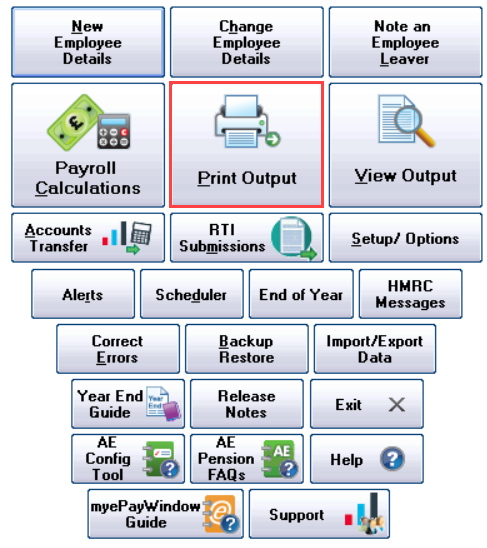
Go to Print Output.
-
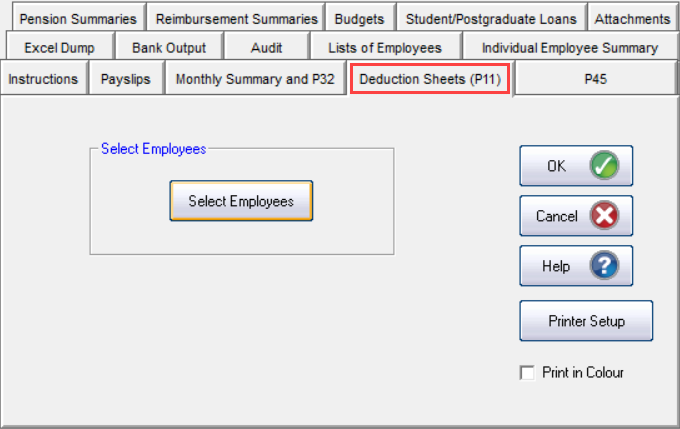
Select Deduction Sheets (P11).
-
Choose Select Employees and choose the employees impacted.
This is to work out the corrected the pay records. This shows the adjustment needed for the employee, HMRC and pension agency.
-
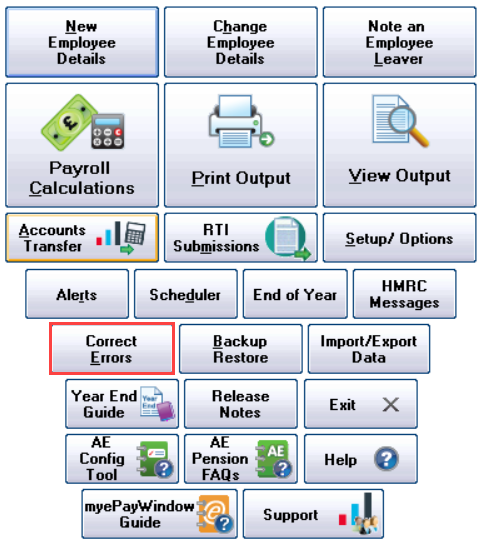
Go to Correct Errors.
-
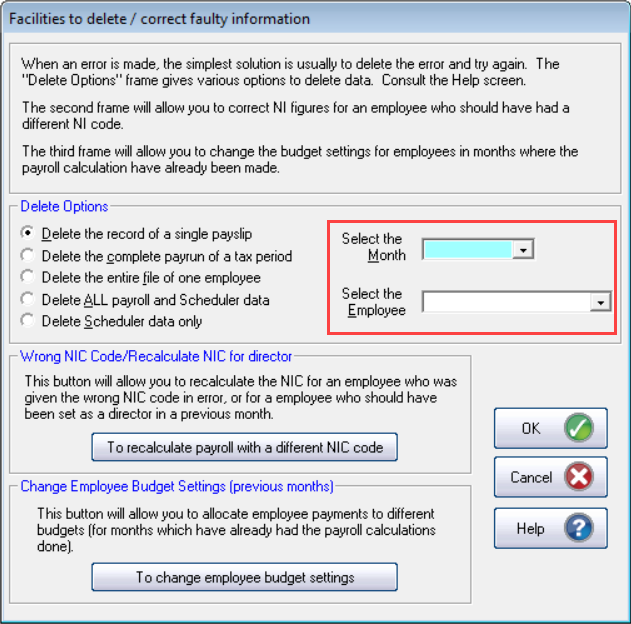
Select Delete the record of a single payslip.
-
Select the Month then Select the Employee.
-
Select OK.
-
Repeat for each month to be deleted.
When removing the payslips work BACKWARDS from the most current to the oldest.
-
Repeat for each employee to be recalculated.
-
Go to the employee details and select Pension Details.
-
Check the employee is set to the correct % calculation.
Recalculate a single employee:
-
From the main menu select Payroll Calculations.
-
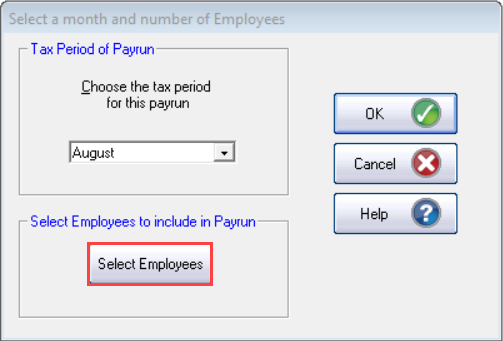
Choose Select Employees and select the employees to be recalculated.
-
Run the payroll as normal.
-
Once complete go to Print Output then Deduction Sheets (P11).
-
Print a P11 for each recalculated employee.
-
Check the difference between the original and corrected Net pay for the employee, any additional payment or deduction can be applied in your next payroll run.
-
Check the difference between the original and the corrected Tax / EE’s ER’s NIC. Any difference should be applied to your next payment to HMRC.
-
Check the difference between the original and corrected pension values. Any difference should be applied to your next payment to the pension agency.
Updating?
Make sure you choose Update Existing GP Payroll Installation.
Download
Error 2147XXXX when installing?
Find out more