Open the pay run
Running a payroll guide
A pay run is opened for each pay schedule. Pay is calculated in the pay run, which is then checked and finalised to close the pay period. Before opening the pay run, check all the tasks required before opening it are done for the pay period.
Pay Run Automation can be set up, to open and finalise the pay run automatically. Tasks that need to be completed manually to process the pay run, even with automation on, are detailed in the steps in this topic.
Processing the pay run without a bureau or payroll processor
If a company does not use a bureau or payroll processor and manages their own pay runs, they must open and process a pay run themselves.
Opening the pay run for each schedule
When Pay Run Automation has not been set up, the pay run must be opened manually for each required schedule:
- Go to Payroll.
-
If using more than one pay schedule, select the tab for the required schedule or frequency.
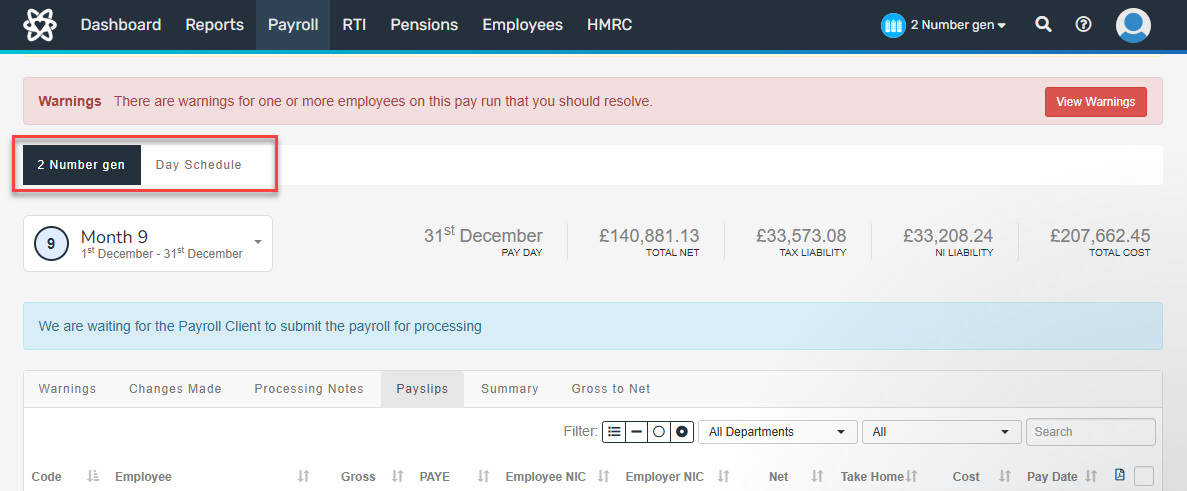
- To open the pay run, select Start New Schedule Pay Run.
-
Check the period set is correct. If not, the previous period must be finalised.

Tasks in the pay run
When the pay run has been opened either manually or automatically, the following tasks must be done before it is finalised:
- Make temporary changes to payments for this pay period to the pay only.
Permanent changes must be made on the employee record not the pay run. -
Add statutory payments and leave for employees who have them.
-
Resolve any warnings for payments or details on the pay run by updating the relevant information.
-
Check all the payment details and information on the pay run is correct.
To correct details after the pay run is finalised, it must opened again or rolled back.
-
To close the pay run, finalise the pay run.
-
Complete the required tasks after finalising the pay run.
Processing the pay run using a bureau or payroll processor
Employers who use a bureau or payroll processor prepare the pay run and send the details to them to process.
- Open the pay run, manually or automatically.
- Check any warnings for payments or details on the pay run. To update any wrong information, send a processing to the bureau or payroll processor.
- Add processing notes for any changes required for payroll to the bureau or payroll processor.
- Finalise the pay run by sending the details to the bureau. Changes cannot be made after the details are sent.
- The bureau or payroll processor processes the pay run and sends it back for approval or rejection.