Parental Bereavement Pay in Payroll
Once integrated, the Parental Bereavement Pay details will be recorded in IRIS Cascade Payroll.
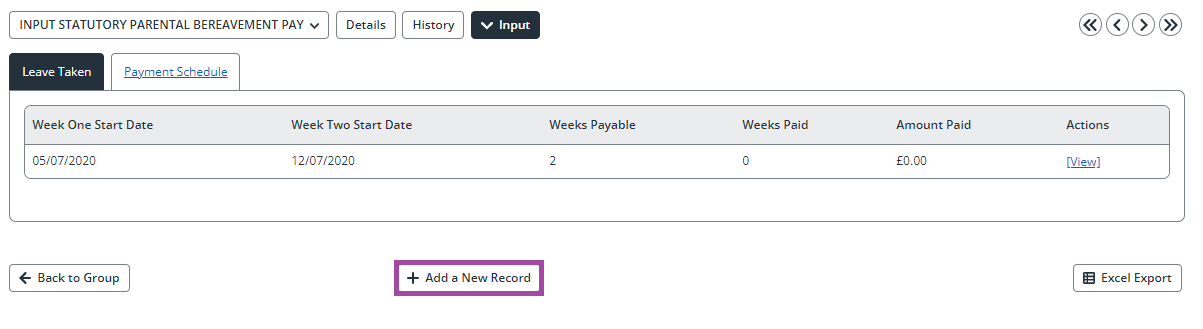
Within Payroll, search for the employee and click on the Input tab. From the drop-down list of screens, select INPUT STATUTORY PARENTAL BEREAVEMENT PAY.
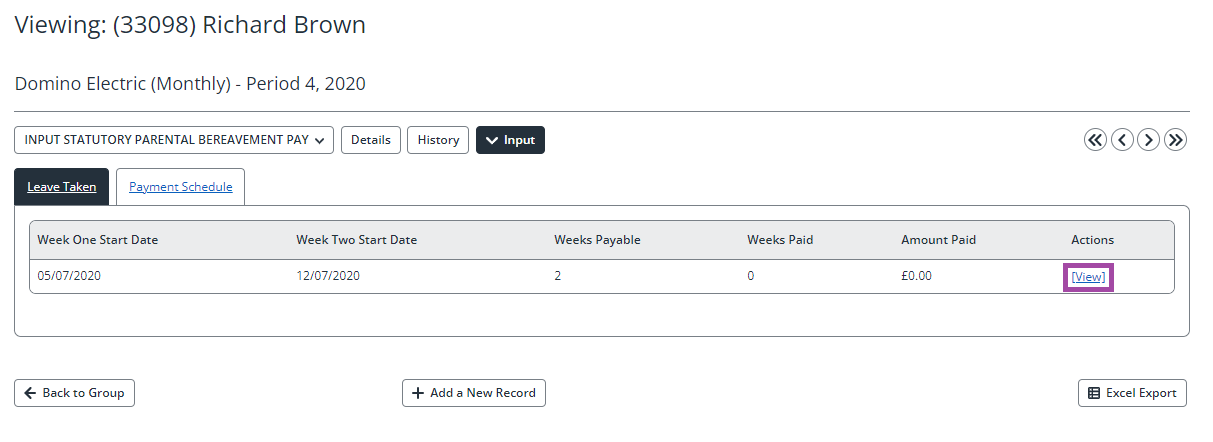
Click View on the record you would like to see.
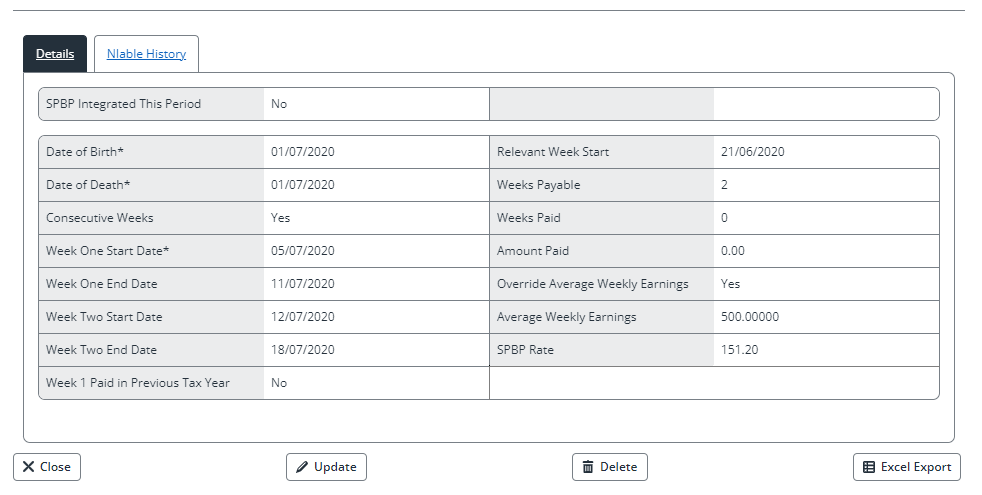
NIable History will display the periods used to calculate the Average Weekly Earnings. This is a read-only view.
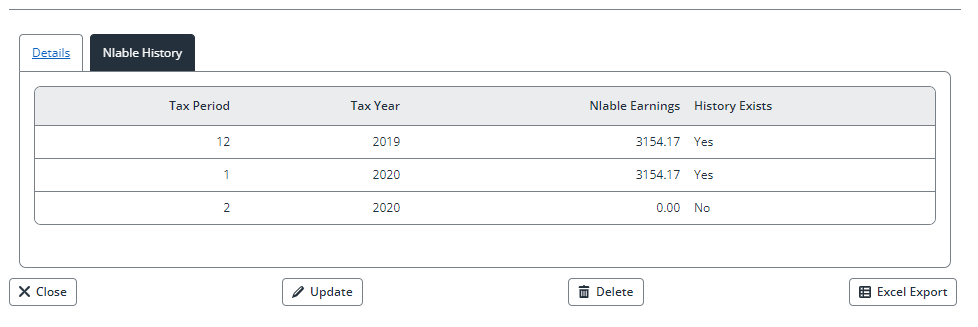
Click Close to go back to INPUT STATUTORY PARENTAL BEREAVEMENT PAY screen.
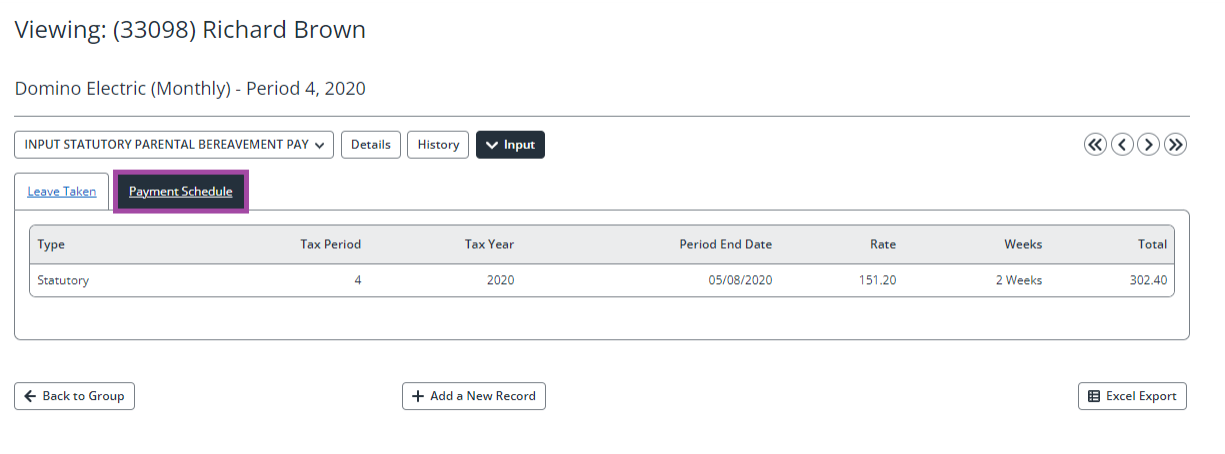
To see the breakdown of payments to be made to the employee, along with the period they are due to be paid in, click Payment Schedule. The breakdown will show details of all records due for payment this period or a future period.
Note: When multiple instances of SPBP exist and have future payments for the same period, choosing to pay them early will pay all SPBP payments due for that period.
Payments due to be made in a future period will display on the FUTURE PAYMENTS screen. Navigate to the employee’s FUTURE PAYMENTS screen to see the payments and select any you wish to pay this period.
Note: When multiple instances of SPBP exist and have future payments for the same period, choosing to pay them early will pay all SPBP payments due for that period.
To add a new record, select Add a New Record. Adding records in this way will not create a pay adjustment for the week(s) of leave being taken and will need to be manually calculated and entered via INPUT VARIABLE PAY.
Navigate to the employee INPUT VARIABLE PAY screen. The employee will have been assigned the Statutory Parental Bereavement Pay element, pay adjustment, and an occupational pay element (where the record has been integrated from HR).