Save and publish queries and groups
Save and publish a query
When you have built and run a query and you’re satisfied that it produces the required results, you can save it to the Query and Group Catalogue to re-run at a later time, and/or publish it and allow other users to use it.
- Go to HR.
- From the Advanced section of the menu, select Query Builder.
-
Build the required query, then select Save Query.
-
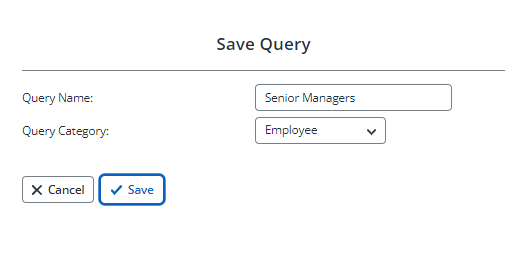
Enter a Query Name and select a Query Category, then select Save.
-
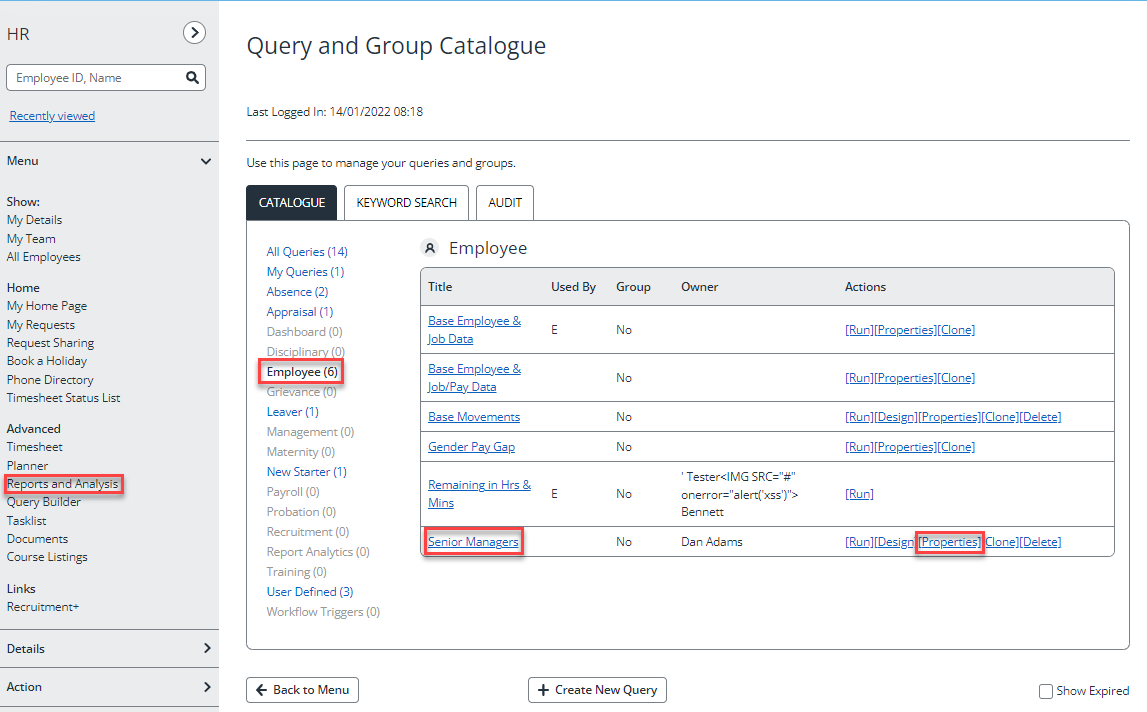
The query is now added to the Query and Groups Catalogue. If you want to publish a query for others to use, from the Advanced menu, select Reports and Analysis.
-
Select Query and Groups Catalogue.
-
Select the category containing the query you just created.
-
From the Actions column, select Properties for the required query.
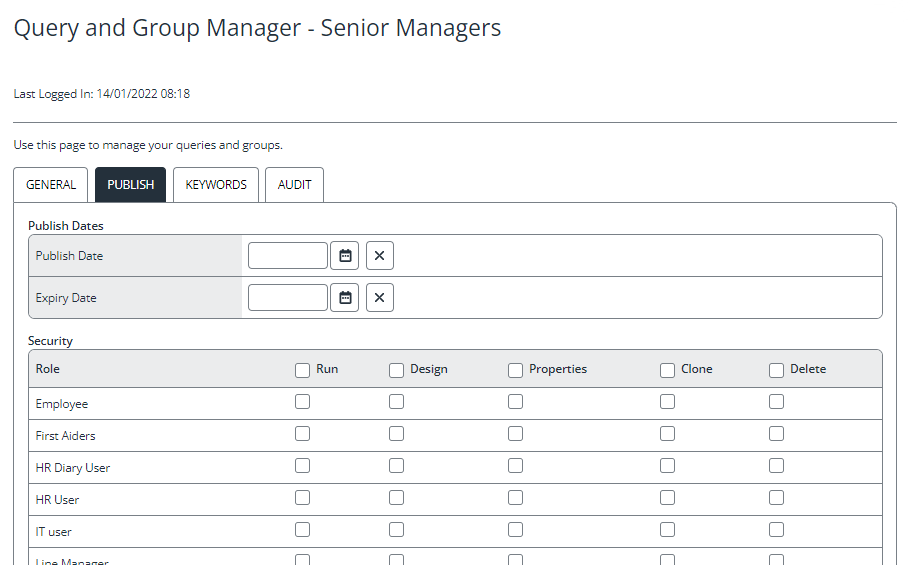
- Select the Publish tab.
-
If required, enter or select a Publish Dates or Expiry Date.
-
In the Security section, for each required role, select the action(s) you want those users to be able to take.
-
Select Save to make the query available to all users assigned to the selected role(s).
Save and use groups
You can also save the results of a query as groups which can then be used in other functions such as holiday entitlements, salary increases, etc.
You cannot save a group with the same name as a saved query.
Run the required query, then select Save Group. Give the group a name and select the required category.
 Related topics: