This section is used to enter any post-cessation or other business receipts to be taxed as income from an earlier year.
- From the Clients menu, select Clients list.
- Change the client list view to either Active clients or a custom view that includes all relevant clients and select the client you need.
- Open the relevant client record.
- On the Personal tax returns widget on the client dashboard, select the required return. The Status tab is shown by default.
- Select the Data input tab, then select Add new section.
Any previously added sections are crossed through. Once added, the section can be edited by selecting its name.
-
On Choose a section to add, select the Miscellaneous tab.
-
Under Savings and dividends, select Business receipts taxed as income of earlier year.
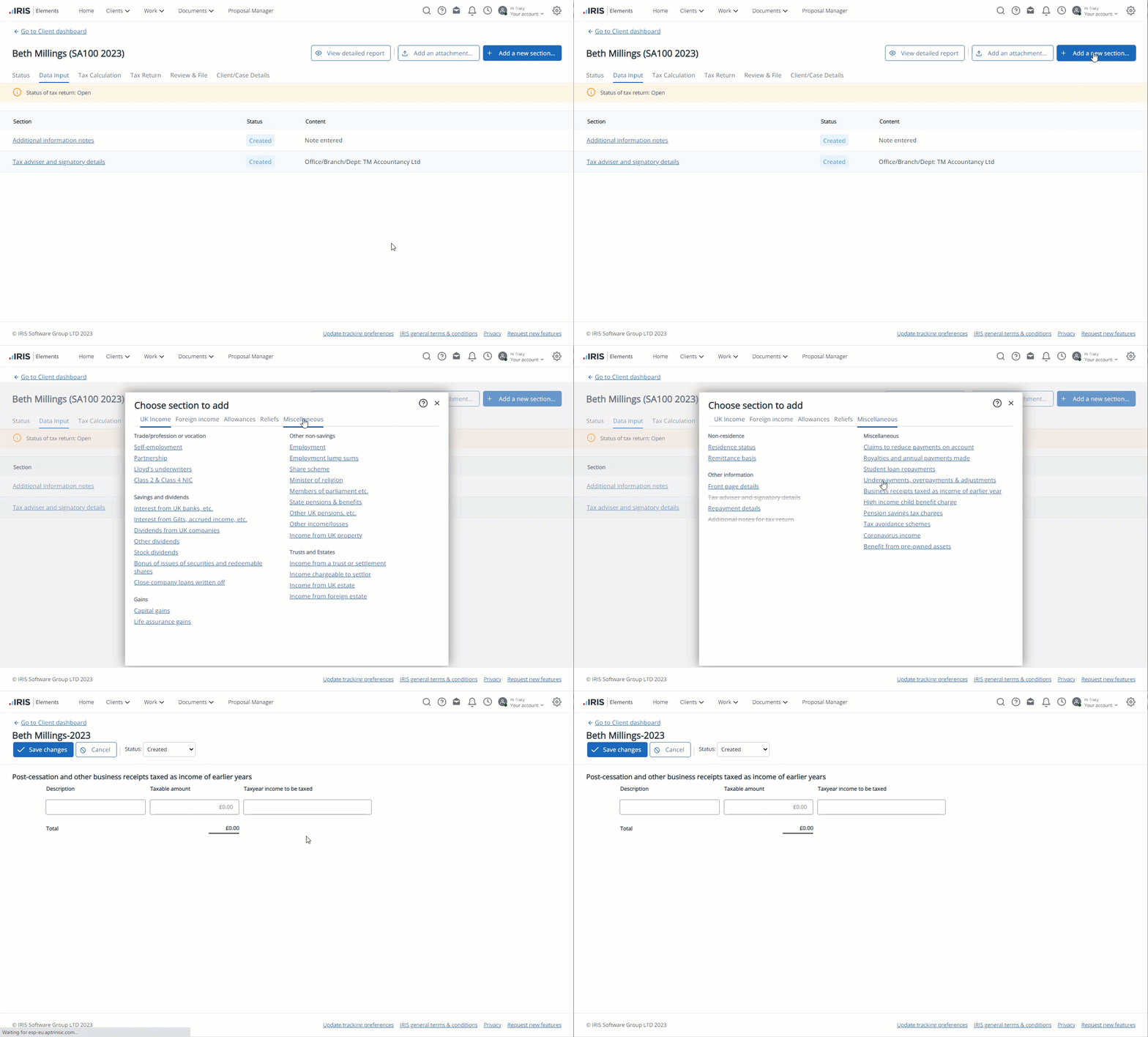
-
For each line, enter a brief Description of the receipt, the Taxable amount together with the Tax year income to be taxed.
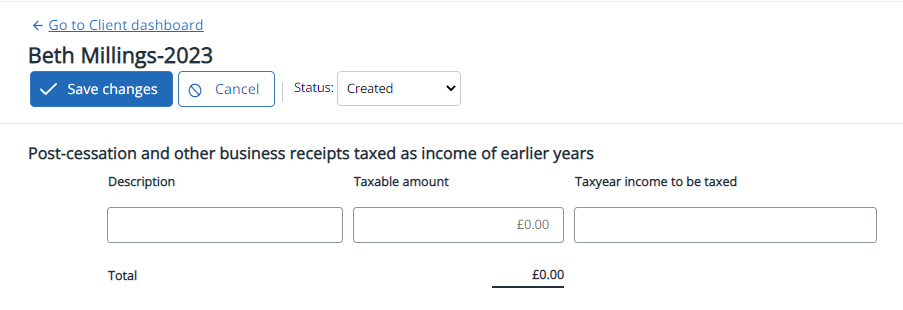
A new line is automatically added. Unwanted lines can be deleted using the bin icon.
- Select Save changes.