Invite Staff, Parents, and Carers to Create Accounts
After adding or importing details for new staff members or parents and carers, an invite to create an account must be sent to them.
To invite a person to create an account:
- Find the staff, parent, or carer account.
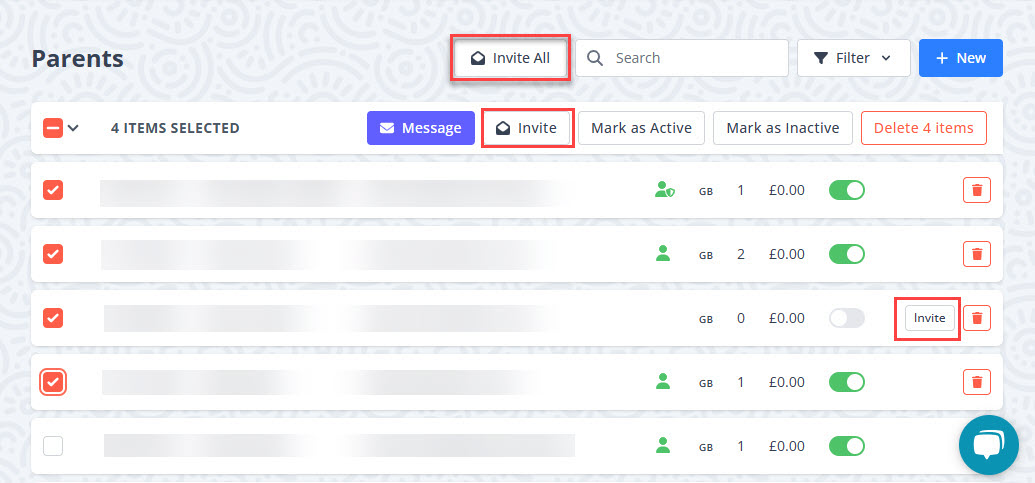
- For the required person,
To send invites for more than one person at a time, select the people, then Invite.
For parents and carers, to send create account invites for all that do not have an account yet, select Invite All.