Reporting on Invoices Over £x Amount
If a report is required to show invoices for and above a particular amount, this information can be extracted from the Accounting application via an Account enquiry.
Upon opening an Account Enquiry, select the Nominal Analysis tab and place a tick in the CoreNominal box.
This will ensure the enquiry is run for all locations within the Organisation.
In the Criteria specify your Period range, in this example we are looking for entries over the whole year.
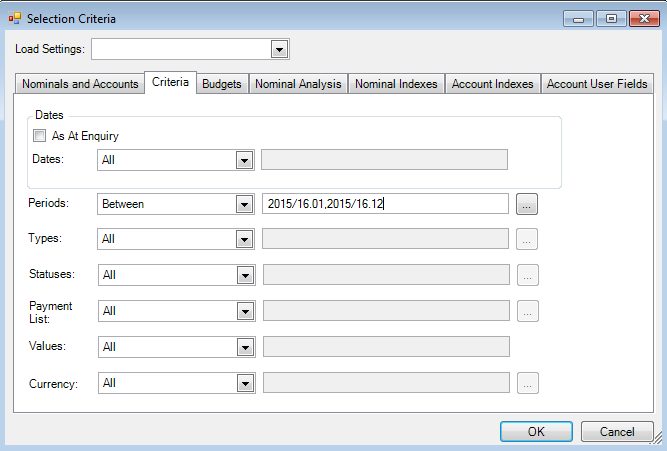
In the Types option, enter One of and then select all of your Purchase documents e.g. POIN's, Non-order purchase invoices and Credit card documents (if required).
Select OK and the enquiry will populate.
There will be a CoreNominal column, use the search drop down just below the column header to select the
Find the Value column header and click on the = sign from the row just below the Value header and select 'Less than or Equal to'.
A blank field will appear, where you will need to enter the figure you want to query over e.g. -5000 for transactions over £5000. Then tab out of the cell.
If you now select the 'Columns' option along the toolbar of the enquiry and place a tick in 'X Account Title'. Then find the column within the enquiry and drag it column header up to the darker grey area just above the data.

The details can be seen by expanding the supplier via the plus sign to the left hand side. This enquiry can also be exported to Excel if required.