Security roles overview
This guidance is only for IRIS Financials Version 7.0.2103 or earlier. If using version 7.0.2223 or later, security is managed by user group.
There are two key areas of security with IRIS Financials. Access levels are the simplest way to assign security - any user who belongs to a group with that access level or higher can access data assigned to that level. Access levels focus on the accessibility of data.
Security roles restrict how users can maintain data, that is, whether they can view, modify, or post it. If you do not apply security roles, all users with the applicable access levels for the data can carry out all these functions.
Your system implementation applies a variety of security roles. They consist of a code and title. Once created, the security roles are then assigned to user groups.
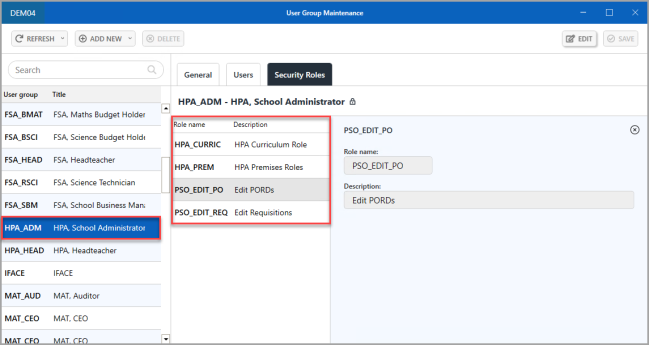
When you have created security roles and assigned them to user groups, you can select an applicable security role by editing the properties of ledgers, nominals, or accounts. This restricts who can view, modify, or post data. Any users who do not have the defined security role, are not able to carry out that function.
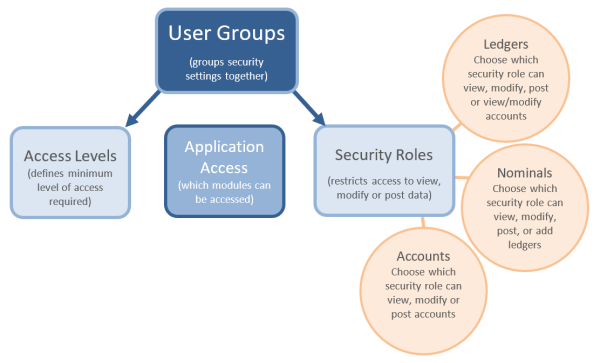
It is important to note that access levels give access to data, and security roles restrict access to data. If you do not apply security roles, everyone with the applicable access level can view, modify, or post data.
Related Topics