Nominal index types overview
Some Of the nominals and ledgers used in this topic may be different to those in your chart of accounts.
Nominal indices help to categorise each nominal code for reporting purposes, as well as being linked to other functions within the system, such as the search facility. These indices are also used by the Detail Enquiry, Trial Balance, and Ledger List, so you can search using the nominal index instead of the nominal code.
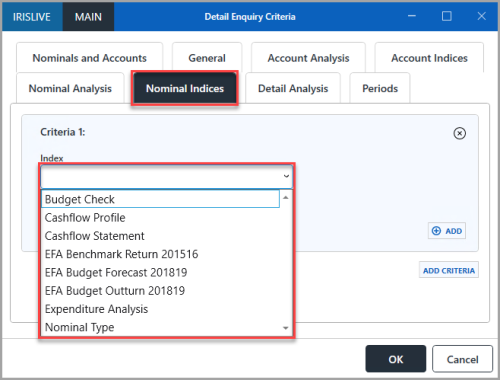
Add or edit nominal indices in the Index Maintenance window. To open it, select Maintenance, then select Indices from the menu. For more information, refer to Maintaining Indices.
To select values for the indices of a nominal, in the Nominal Maintenance window, select the Indices tab. For more information, refer to Creating a Nominal.
BUDGETCHECK
Use this to select whether to include the nominal in a budget check.
CASHFLOWPR
Used to show if the nominal is a cash flow nominal or not, and if so, when it is payable.
EXPANALYS
Use this to code what type of expenditure you use the nominal for.
Select an applicable option if you want to report on expenditure.
NOMSEARCH
This index links to the search functionality in the system. The system populates it with index values automatically when you create the account. It enables searching by account title.
Selecting this index can take time for the results to load so only select this index if you intend to add a specific search index value (rarely needed).
NOMTYPE
Identifies whether the nominal is an Income, Expenditure or Balance Sheet nominal. The option you select here determines which reports include the nominal.
Select the applicable option from the Values panel.