Delete payment terms
CUSTADMIN access only
Take great care when you delete payment or discount terms, especially those that relate to sales invoices, because they determine when payment is due. You would typically only delete terms that you created in error or no longer use.
- Select Maintenance, then select Ledgers from the menu.
- The Ledger Maintenance window opens. From the left-hand panel, select the PURCHASE ledger for supplier terms, or the applicable sales ledger to delete your own payment term.
- Select the Terms tab. All existing payment and discount terms appear in the centre panel.
- Select the payment term to be deleted, then select Delete, as this graphic shows.
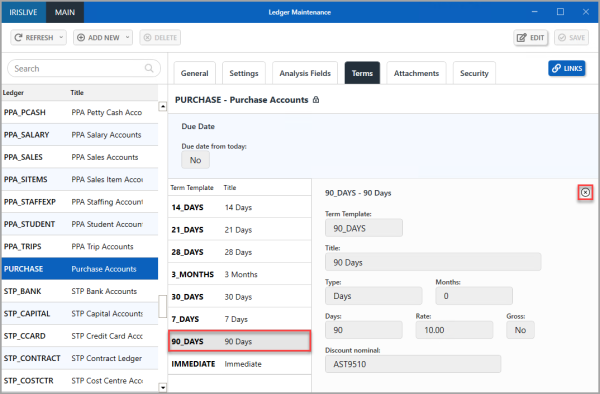
- The payment term appears with a strike-through. Select SAVE to confirm the deletion.