Report on related parties
For Multi-Academy Trusts (MATs) to get a list of upcoming related party transactions to supply to ESFA:
- To get supplier spend details, run a Ledger List for the following criteria:
- In Ledgers, select Equals.
- In Value 1, select PURCHASE.
- On the Account Analysis tab, select ADD CRITERIA
- Select Related Party from the Analysis Field list.
- To display the ledger list, select OK.
- On the Ledger List:
For the Related Parties column, select Yes from the filter options.
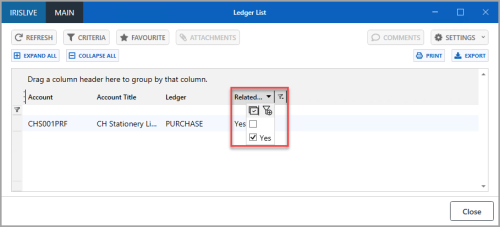
- Select EXPORT.
- To get details of commitments:
- From the Reporting Suite, select the Current Commitments report.
- Select the required criteria.
- To display the report, select View Report.