Resolve a rejected payment run
Reject a payment run when:
- You are unable to approve all or some payments
- You are unable to approve the media file
-
Go to Payments, then select Payment Run History.
-
For Waiting for approval or Waiting for media approval runs, select the Cross icon.
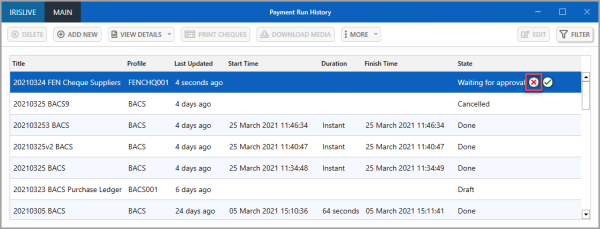
- Confirm the rejection.
Create a new BACS, cheque, or other type of payment run for payment runs rejected because all or some of the payments were incorrect. To make the payments available for the new run, first cancel the Rejected run.
If the payment run media has been rejected:
- Make the changes to the file or cheques.
- To send it for authorisation again, recreate the payment file or provide the cheques.