Find and log out IRIS Financials Purchasing users
CUSTADMIN access only
There may be occasions when it is necessary to force users off the system, particularly if there are still users logged in after an email request to log out. This can be particularly useful if an account or nominal has been renamed in IRIS Financials, as the changes do not show for users until they have logged out and back in again.
- To list the users logged in to IRIS Purchasing, log into IRIS Purchasing as a System Administrator then select the Sessions icon on the toolbar.
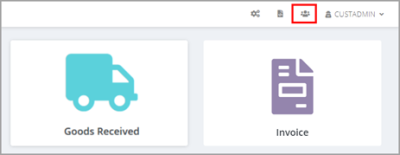
- The Active Users list of users logged in appears.
- To log a user out of IRIS Financials Purchasing, select the icon for that user. The user receives no warning, and the system disconnects them immediately from IRIS Financials Purchasing.