Set the default VAT code for purchasing documents
You can specify the default VAT code used when posting purchasing documents, preventing the need to select a VAT code each time. By default, this is S20, and you can change it as required when you create a purchasing document.
- From the Home page, select the Settings icon.
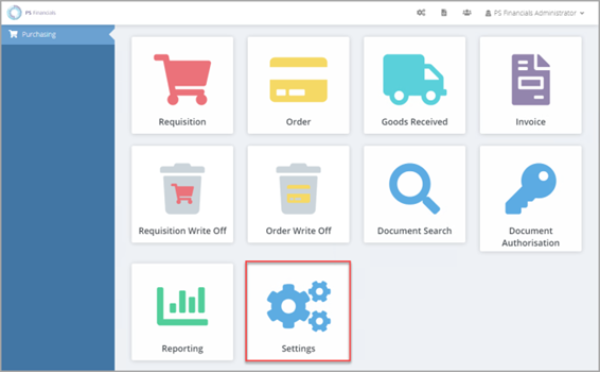
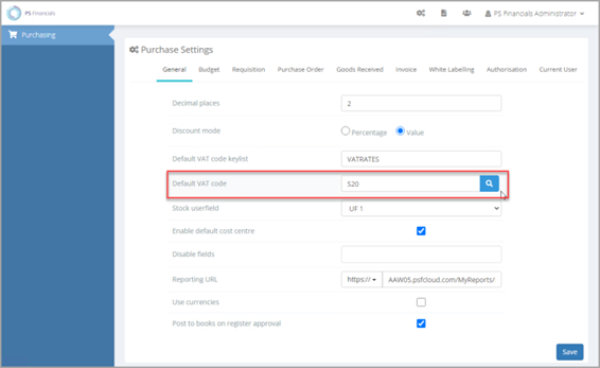
- The Purchase Settings panel opens consisting of various tabs used to apply relevant settings. Select the General tab.
- Select the magnifying glass icon adjacent to Default VAT code.
-
The Select window opens. Select the VAT code you want to select it, such as S20.
The VAT rates are populated from the IRIS Financials VATRATES keylist. If you need extra VAT rates, refer to Add or edit VAT codes and rates.
- Select Save to save your changes.