Remove attachments
There may be many occasions when you want to attach files to a particular purchasing document to keep related paperwork together. If an attachment is no longer required, you can remove it (this does not delete the original file, only the link from the document).
- Point to the Attachment icon until any attachment names appear in a list.
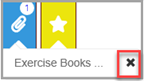
- Select the X to remove the attachment. A message appears to confirm the removal.