Handle split invoices in IRIS Financials Purchasing
If the supplier has split the order across several invoices (for example, four invoices for 25 blue and 25 yellow exercise books), use this process:
- Generate the invoice from the applicable purchase order/GRNs.
-
Edit the quantities to match the split supplier invoice then post as usual.
-
The applicable purchase orders/GRNs remain outstanding with the amended quantities until all the split invoices have been paid.
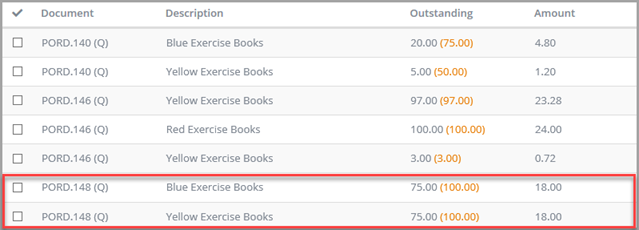
- Repeat for each applicable supplier invoice as it arrives.