Copy documents
There may be times when you want to make a copy of an existing document for example, to raise a requisition for similar items or when a document has been rejected and you need to recreate it with slight amendments.
- Search for the document you would like to copy as described in Search for and manage documents.
- The results of your search appear in the Search Results window.
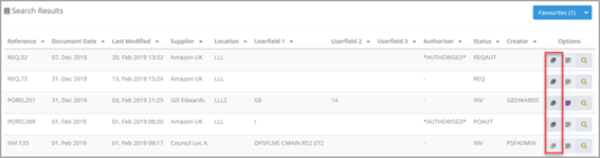
- Select the Copy icon adjacent to the required document.
- A new document of the same type appears. Edit the document as required before posting. For more information, refer to Edit existing documents.