Change your IRIS Financials Purchasing password
Change the password you use to log in to IRIS Financials Purchasing.
- Select your username in the toolbar to display a list of options.
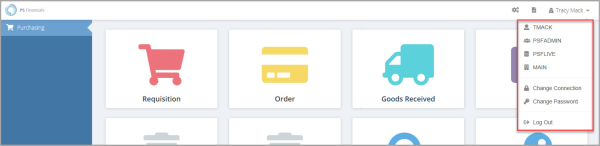
- The top four options display your user name, user group, database, and the company you are logged into. The Change Connectionoption allows you to switch to another database without the need to log out.
- To change your password, select Change Password. The Change Password window opens.
- Enter your current password in Old Password, then enter the new password in both New Password and Repeat new password. Select Change to save your new password.
- A confirmation message appears.