Message cloud users
CUSTADMIN access only
You can send a message to an individual user or all users who are connected to PS Cloud. For example, you may want to do this if you need everyone to log off to run a system audit.
- Log into the PS Cloud Self Service as described in Launch the Cloud Self Service. The PS Cloud window opens.
- Select Servers to display the Servers page (if not already selected).
- Select Message next to an individual user to whom you want to send a message. Alternatively, select Message All to send a message to all users.
- The Send Message window opens. Enter the applicable message in the text panel, as this graphic shows, then select Submit.
- A Success message appears to confirm that the system sent the message.
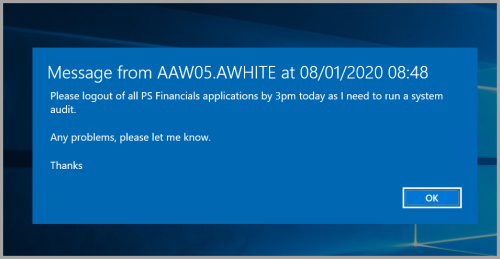
- The message appears on the applicable end user's PS Cloud environment, as this graphic shows:
- The user's PS Cloud session is locked until they select OK.