Change a cloud user's password
There may be occasions when a PS Cloud user has forgotten their password or you want to reset their password for security reasons. To change a user's password you must have Admin access for Self Service.
Changing or resetting a PS Cloud user's password does not affect any other IRIS Financials passwords.
-
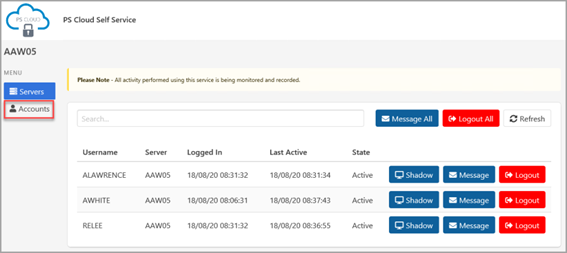
Log into the PS Cloud Self Service as described in Launch the Cloud Self Service. The PS Cloud window opens, select Accounts.
-
The Accounts page opens. Select Change Password next to the required user.
-
The Change Password dialog opens. Enter the new password for the user in New Password, then enter the same password again in New Password Confirmation. This is the password they can now use to log into PS Cloud with until they change it.
There are no password complexity rules when changing a Cloud password.