Uninstall existing PS People version
PS Cloud customers must log a support ticket (you need a Service Cloud account) with the subject heading of
Before you can install the new version of PS People, you must uninstall the existing version.
On-Premise customers, do the following:
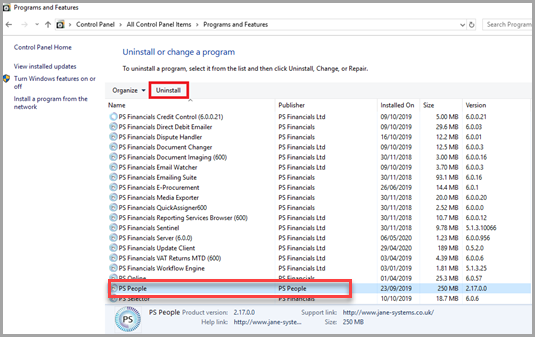
- For Windnows, open Control Panel, then select Uninstall a Program.
-
Find and select PS People, then Uninstall.
- To confirm the uninstall, select Yes.
- When the unintall has finished, you can install the new version of PS People.