Add new approval cancel or reject reasons
Applicable only to USERS with CUSTADMIN ACCESS.
When cancelling or rejecting items or documents in IRIS Purchasing, it is mandatory for a reason to be provided. A default set of reasons is supplied but you may want to add to these to suit your specific needs. This is achieved by amending a key list in IRIS Financials .
- Log in to IRIS Financials.
- Click Masters, then select Keylists from the menu.
- Select CANCELREASON.
- Right-click anywhere in the Rejection Reasons list and select Insert.
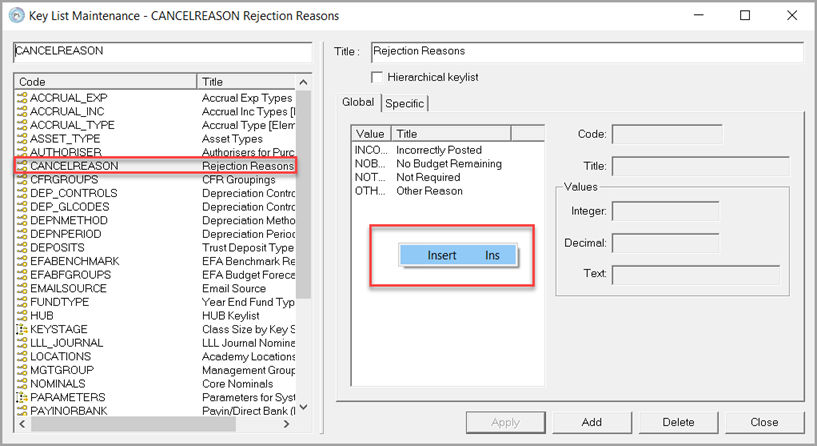
-
Enter the new Code and Title then select Apply.