Check who has approved a non-order invoice
To check which user has authorised a non-order invoice in IRIS Financials:
- Go to Options > Document Enquiry and find the document.
- Click the + button to expand the document.
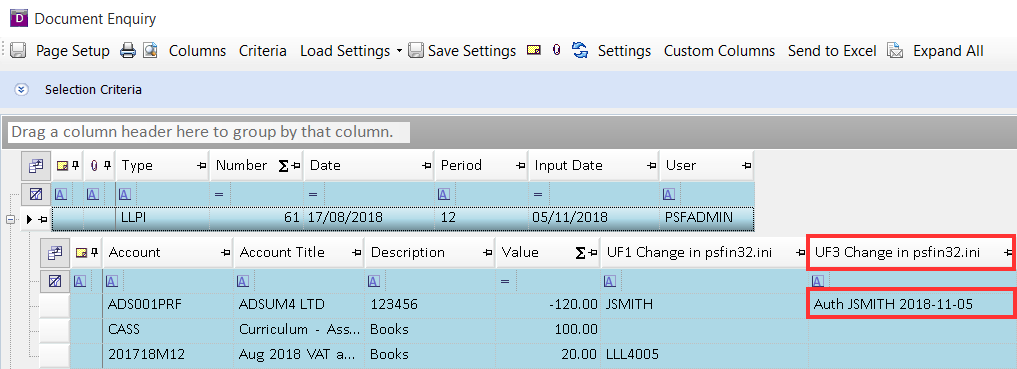
- The authoriser will be showing in UF3 Change in psfin32.ini as shown in the following graphic:
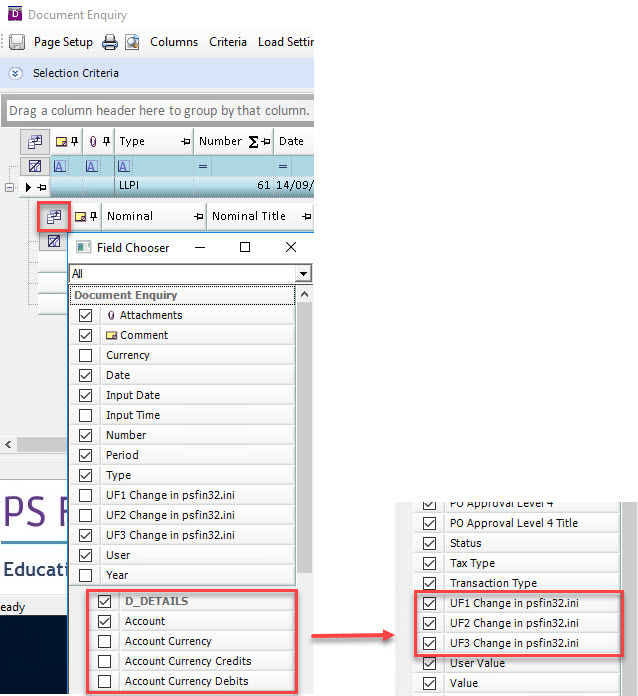
If the user field columns are not showing you can add these in. Click the Field Chooser icon, then scroll to the bottom of the list and select the three user field columns as shown in the following graphic (not the three user field columns near the top of the list):