Assign transactions to invoices or purchases
If you have recorded an incoming or outgoing bank payment transaction and you haven't yet raised an invoice or purchase, you will need to associate the applicable document with the payment.
-
Go to Banking > Banks and for the applicable bank, select View or Add.
-
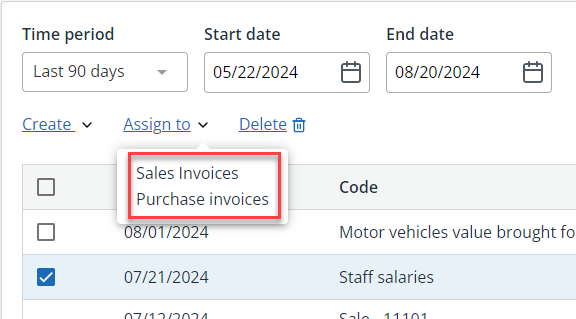
Use the checkboxes to select each applicable transaction. Then go to Assign to and select either Sales Invoices or Purchases invoices.
-
From the Assign to Purchase invoice / Assign to Sales invoice list, select the purchase order or invoice to assign the transaction to.
-
Select the Payment Method from the list.

-
Select Assign to Purchase invoice / Assign to Sales invoice.