How to change the Multiple Posting Dates


Introduction

This topic explains how to change the multiple posting dates within the Accounts Production module.

  1. From the Accounts Production toolbar select Posting | Post

The following screen displays.

  1. Click the Reports icon.

  2. From the drop-down list, select List Postings (on Screen).
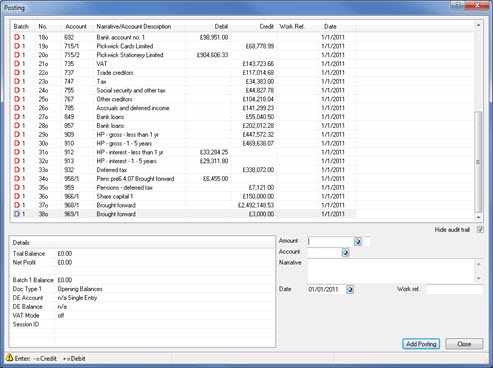
Multiple_Postings_1.jpg


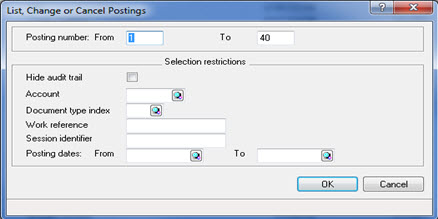
The following screen displays.

  1. Click OK.

Multiple_Postings_2.jpg


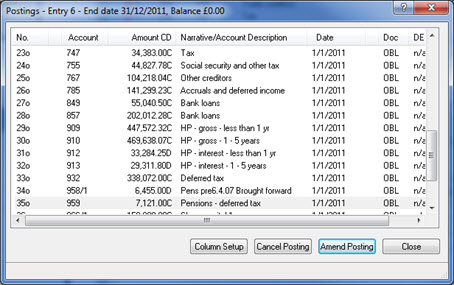
The following screen displays.

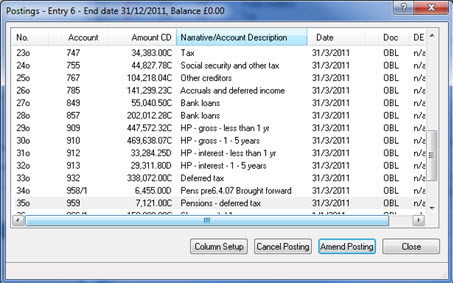
  1. Click Amend Posting.

Multiple_Postings_3.jpg


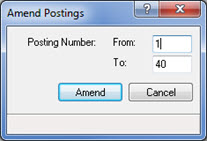
The following screen displays.

  1. Enter the range of postings which requires amending and click Amend.

Multiple_Postings_4.jpg


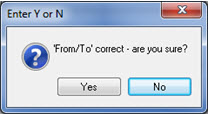
The following dialog displays.

  1. Click Yes.

Multiple_Postings_5.jpg


The following screen displays.

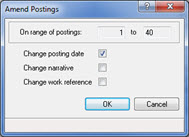
  1. Select Change posting date and click OK.

Multiple_Postings_6.jpg


The following screen displays.

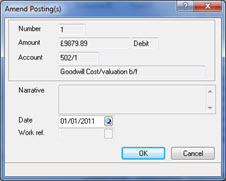
  1. Enter the required date within the Date field and click OK to amend the posting dates.

Multiple_Postings_7.jpg


The following screen displays.

  1. Click Close.

Multiple_Postings_8.jpg


Back to top