 |
 |
|
|
In this section you will learn how to make:
a disallowed expense posting
a property expense posting and
an adjustment to the directors' remuneration
To start making postings, select Edit and then Posting.
There are two ways of posting disallowed expenses :
Postings made using Disallowed expense account can be brought forward into each year but you have to use the whole account
Expenses disallowed allows you to select:
A particular account code posted in Accounts Production;
A particular posting in Accounts Production; or
Enter a freeform amount.
Only the account total postings will be brought forward.
For this tutorial :
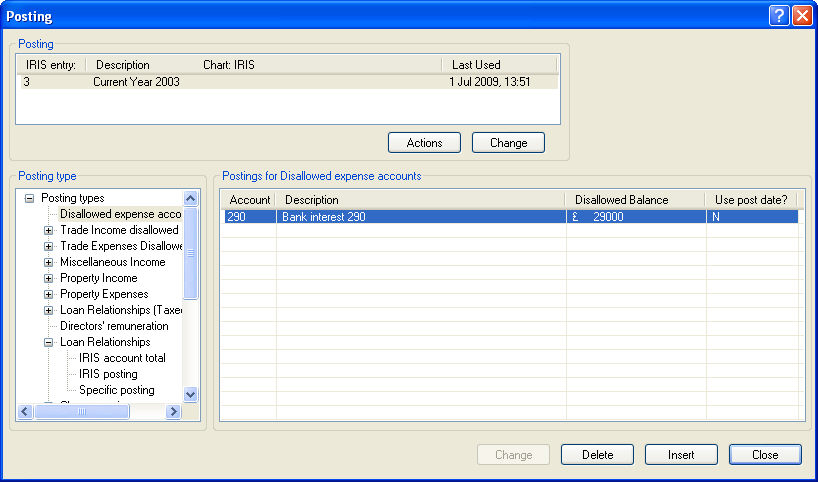
Click on Disallowed Expense Accounts and click on Insert.
Type '290' into the account number field and click on OK (or alternatively click on the magnifying glass to search for the account).
The posting you have made should be displayed on the screen :
Click on the + next to Property expenses, highlight IRIS posting and click on Insert.
Type '326' into the account number field and click on OK.
The display will list all of the postings made to this account.
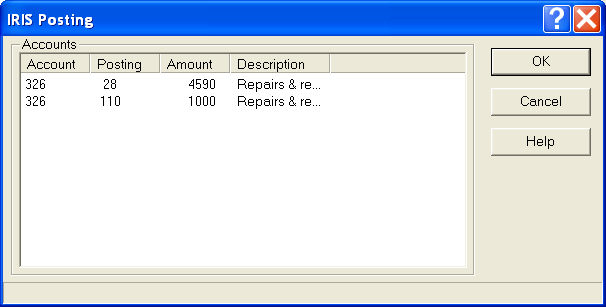
Highlight the first posting of £4590 and click OK. Click Yes when asked if you want to use the posting date, .
You should now have the screen shown below :
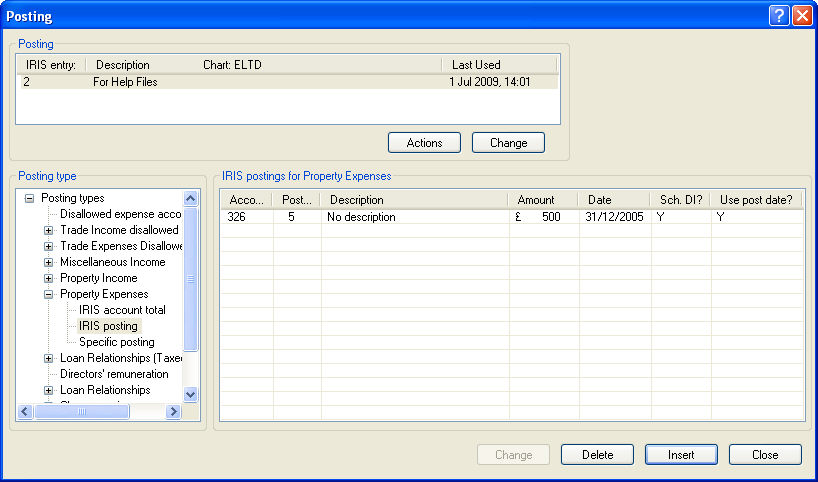
You have just entered a posting which will disallow a particular accounts posting from the repairs and renewals account 326, this will be:
added back to Trade profits (this is shown by the Y in the Trade column) and
deducted from the Property income on the corporation tax computation.
Highlight Directors remuneration to display the screen, listing the directors :
Highlight Mr. Smith and click on Change (or alternatively double click on his name). Mr. Smith did not get paid '£2,000' until over 9 months after the company's financial year end so enter this in the Not paid by statutory period.
Click on OK to save this information and then click on Close when the posting screen comes back.
Now print a Corporation Tax computation to see the amendments you have made. Select Reports and then Corporation Tax, selecting OK on the compliance options screen and print the report to your screen. If you want you can use the print icon in the top left hand corner of the report screen to send the document to your printer.
Looking at the computation you should be able to see the following postings added back to the profit.
Legal fees (£3205)
Property expenses (£4590)
Directors Remuneration (£2,000)
Repairs & Renewals expense (£4590) deducted from the Property income, and
The £2000 unpaid directors remuneration carried forward to the next period in the Remuneration summary.